

Handing out spare keys to family members, housekeepers, or contractors means losing track of who has access to your home and when. A key that never gets returned is a vulnerability you cannot see, and a lock you can only control in person gives you no way to respond when something feels off.
Apple Home Key smart locks fix that by letting you manage access directly from your iPhone or Apple Watch, with a tap or a tap-free unlock that works even when your phone is in your pocket. We reviewed the top models available to find locks that integrate cleanly into the Apple ecosystem without sacrificing build quality or daily reliability.
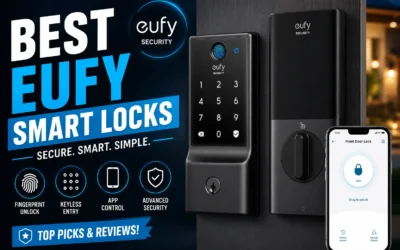
Our top pick for best Apple Home Key smart locks is the eufy E31 Smart Deadbolt. It supports fingerprint and keyless entry so every member of your household gets in the way that works for them, and that means you can stop worrying about lost keys or forgotten codes. Browse our full list below to see which one works best for your situation.
Our Top Picks

Pros
- Multiple unlock options cover daily routines and emergencies without keys
- Fingerprint recognition gets faster and more reliable for frequent family use
- USB emergency charging avoids lockouts from dead batteries
- Fits standard US doors with simple setup for quick front door upgrade
- Durable construction works in outdoor conditions from cold winters to hot summers
Cons
- Requires Apple Home Hub for remote app control and sharing access
- No built-in WiFi means setup relies on Apple ecosystem or app bridge
- Fingerprint storage maxes at 50, which may limit larger households
This deadbolt replaces your standard front door lock with keyless options that fit everyday home life. Tap an iPhone or Apple Watch to unlock instantly, which saves time when unloading deliveries from the porch or herding kids inside after school. The fingerprint reader learns family prints for reliable, quick entry, storing data securely on the lock itself to protect privacy during routine comings and goings.
Auto-lock kicks in right after you shut the door, ensuring security without remembering to twist the lock, especially useful for busy households monitoring backyard gates or driveways. Multiple methods like app remote, passcodes, or backup keys handle guests dropping by or emergencies, giving peace of mind when watching packages left out front. The year-long battery from included AA batteries means fewer interruptions, with USB charging as a backup if needed.
Built tough with weather resistance, it stands up to rain and temperature swings on exterior doors, maintaining function year-round. While it shines for Apple users securing main entries, full remote features need a Home Hub, making it a solid pick for straightforward front door protection without complexity.
Works on most standard US exterior doors from 1-3/8 to 1-3/4 inches thick. No drilling or special tools needed beyond a screwdriver for basic swap-out.
- Measures fit doors 2-3/16 inch hole standard, common on front entries
- Full install takes 15-20 minutes for handy homeowners securing porches
- Check door alignment first to ensure smooth auto-lock for daily use
- Aluminum body handles outdoor exposure without rust on gates or doors
Connects via Apple Home ecosystem or Dreame NAVO app for control from anywhere. Needs Home Hub like HomePod for remote unlocks when away from home.
- Alerts notify on unlocks or low battery for monitoring deliveries
- Set timed auto-lock or passcodes for family and guests entering driveways
- Works offline for basic taps and fingerprints, no WiFi required daily
- Share access permissions to watch kids or pets safely from your phone

Pros
- Long battery life up to 14 months reduces maintenance for busy homeowners.
- Multiple entry methods including fingerprint, code, app, and key cover various family needs.
- Built-in WiFi enables remote monitoring and control without extra hardware.
- Works with major smart home systems for automated routines like lights with entry.
Cons
- Requires a Matter-compatible hub for integration with Apple Home, Alexa, or Google.
- Emergency USB power only unlocks the door, does not recharge the battery.
- Limited to doors meeting specific thickness and hole size requirements.
For front door security, the eufy Smart Lock E31 replaces traditional deadbolts with fingerprint recognition that unlocks in under a second, making it practical for daily entries when carrying packages or herding kids inside. This keyless design eliminates lost keys and provides quick access while the auto-lock feature ensures the door secures itself shortly after closing, adding peace of mind if someone forgets.
Remote control through the app lets homeowners monitor door activity from anywhere, such as checking if a delivery person approached while you're at work. Integration with smart home setups allows voice commands for locking or unlocking, streamlining routines like arming the house when leaving. The rechargeable battery lasts up to 14 months with normal use, sending low-power alerts well in advance to avoid lockouts.
Family access is straightforward with up to 50 fingerprints and 100 codes, ideal for assigning unique entries to teens or visitors without compromising security. Real-time notifications alert you to any unauthorized attempts, helping protect against break-ins. Installation fits standard doors in about 15 minutes, suiting renters or owners upgrading without major changes.
Weatherproofing handles outdoor exposure on front doors, maintaining reliability through rain or cold. While it needs a hub for full voice control, the built-in WiFi handles direct app management effectively for most daily needs.
This deadbolt fits most standard U.S. front doors made of wood or metal. Check your door measurements first to ensure compatibility.
- Crossbore hole: 1-1/2 inch or 2-1/8 inch diameter.
- Backset: 2-3/8 inch or 2-3/4 inch.
- Edge bore: 1 inch diameter hole.
- Door thickness: 1-3/8 to 2-1/6 inches.
- Handle distance from door edge over 1-4/5 inches.
Setup takes about 15 minutes with basic tools, no drilling needed for standard setups. Replace your existing deadbolt directly.
The app provides direct control over locking, unlocking, and activity logs via built-in WiFi. Use it to manage access for front door security from your phone.
- Remote unlock for deliveries or family when you're out.
- Set temporary codes for guests, up to 100 stored.
- Real-time notifications for door opens or low battery.
- Auto-lock timers to secure after entry.
For voice control with Siri, Alexa, or Google, connect via a Matter hub. Direct app works without it for core functions.
Pros
- Fingerprint recognition unlocks in under a second for fast entry during daily routines
- Multiple unlock options reduce lockout risks from lost keys or dead phone batteries
- Auto-lock feature ensures the door secures itself after closing, adding reliability
- Status indicator shows if locked from outside without needing the app
- Fits standard U.S. doors for straightforward replacement of old deadbolts
Cons
- Requires a separate Matter-compatible hub for app and voice control features
- Uses AA alkaline batteries that need replacement every few months depending on usage
- Only fits doors 1-3/8 to 2 inches thick and specific bore sizes
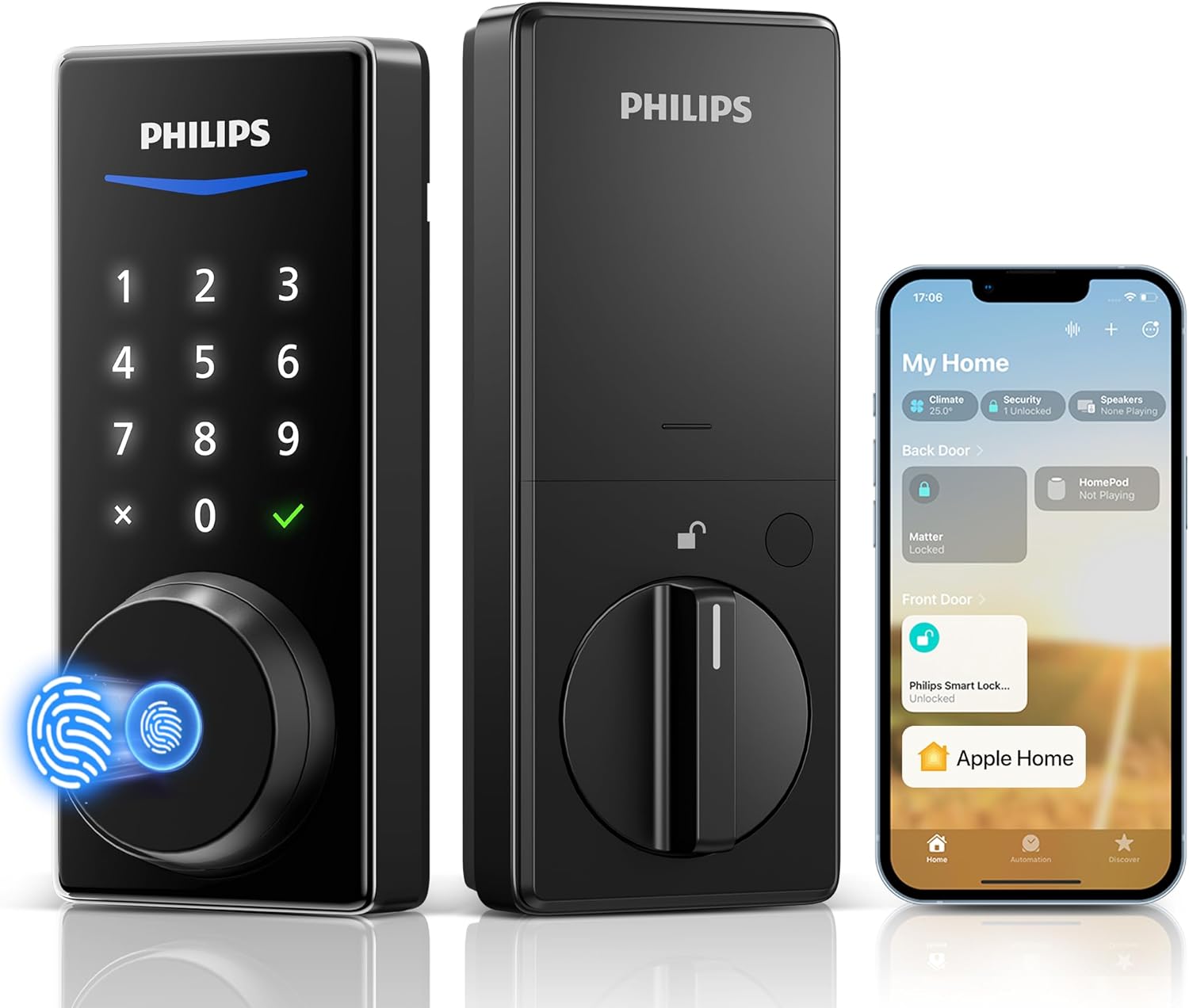
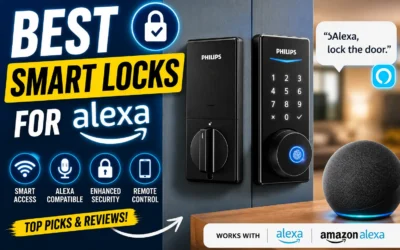
This Philips smart deadbolt fits standard front doors and provides reliable keyless entry through fingerprint scan, passcode, app, or voice commands. Homeowners gain peace of mind knowing they can lock or unlock remotely while at work, watching deliveries on the porch or ensuring the door secures after kids head to school. The quick fingerprint access works even with hands full from shopping, eliminating fumbling for keys.
Multiple access methods suit family needs, like setting unique codes for teens or visitors without sharing physical keys. For backyard gates or side entries, the auto-lock kicks in seconds after closing, preventing oversight during busy mornings. A visible status light confirms the lock state from outside, so you verify security before leaving for the day without pulling out your phone.
Low battery alerts appear in the app, prompting timely changes to avoid lockouts during storms or vacations. Built to handle extreme temperatures from winter cold to summer heat, it maintains performance on exposed exterior doors. Overall, it strengthens daily home defense by blending convenience with consistent locking habits.
Easy DIY installation replaces existing deadbolts in under an hour for most setups, keeping physical security solid while adding remote oversight for properties with driveways or garages.
Confirm your door matches these specs before purchase to avoid returns. It replaces standard deadbolts on exterior doors like front or back entries.
- Door thickness: 1-3/8 to 2 inches thick
- Cross bore hole: 1-1/2 or 2-1/8 inches diameter
- AA alkaline batteries required (not included); low battery alerts prevent surprises
- DIY-friendly: Tools needed are screwdriver and drill; fits most U.S. residential doors
- Check door edge bore is 1 inch; professional help advised for non-standard prep
Smart features need a Matter and Thread-enabled hub for remote control on front doors or gates. Pair once for seamless use with preferred systems.
- Works with Apple Home, Google Home, Alexa, SmartThings via hub
- Siri voice unlock after hub setup; check status or lock remotely
- Philips HomeAccess app shows battery, logs entries, sends alerts
- Customize auto-lock timer (0-180 seconds) for family routines
- Hub required; no direct Wi-Fi, ensures stable connection for daily checks

Pros
- Simple screwdriver install suits most homeowners replacing a standard deadbolt
- Door sensor alerts prevent forgotten unlocks after guests or kids use it
- Up to 250 codes make sharing access straightforward for family and service visits
- Built-in Wi-Fi works without extra hubs for reliable remote control
- Geofence auto-unlock eases daily routines like arriving home loaded with bags
Cons
- Tap-to-unlock works only with iPhone or Apple Watch, leaving Android users with codes or app
- Full features depend on stable home Wi-Fi, which can falter during outages
- Touchscreen may collect dirt outdoors, needing regular cleaning for reliable code entry
This Kwikset Halo Select Plus deadbolt replaces your front door lock with smart controls that fit everyday home life. Tap your iPhone or Apple Watch right on the lock for quick entry when your hands are full with packages or kids. Remote access through the app lets you lock up from work if you spot the door ajar via real-time alerts, ensuring deliveries stay safe on the porch without you rushing home.
Geofence technology senses when you approach the driveway and unlocks automatically, saving time on busy evenings. Share codes easily for guests like cleaners or dog walkers, with schedules to revoke access after they leave. The door status sensor notifies you instantly if it's left open, preventing oversights when family members come and go, and auto-lock kicks in to secure the property without reminders.
For voice control with Alexa or Google, it integrates to lock doors at bedtime or when motion lights trigger outside. Check the activity log anytime to see who entered, giving clear oversight of your home's main entry. While it streamlines routines, reliable Wi-Fi keeps these benefits active, making it a solid choice for monitored front door security.
Intrusion detection adds a layer by alerting on tamper attempts, so you stay informed about potential break-in risks at the gate or door. This setup delivers practical control without complexity, focusing on real scenarios like securing the house during vacations or daily family traffic.
DIY replacement fits standard doors with just a screwdriver. Follow the app's step-by-step visuals for a 10-15 minute job.
- Existing deadbolt hole needed; no major drilling.
- Phillips screwdriver only; no power tools.
- Level the lock to avoid jamming when locking the front door.
- App scans for Wi-Fi during setup for immediate remote testing.
- Test door status sensor closes properly before finishing.
The Kwikset app handles all controls over home Wi-Fi, no hub required. Matter support links to Apple Home, Alexa, or Google for unified routines.
- Remote lock/unlock checks door status from anywhere.
- Geofence auto-unlocks on phone location near driveway.
- Share/schedule up to 250 codes for guests or family.
- Activity log tracks entries for porch delivery oversight.
- Alerts for open door or intrusion attempts notify instantly.

Pros
- Multiple unlock options like palm, keypad, and app reduce reliance on lost keys for daily entry
- Built-in camera covers the full front step to spot packages left by deliveries
- Rear screen simplifies door checks for children or older adults at home alone
- Long battery life handles months of use with easy recharges for reliable access
- Weatherproof build holds up outdoors to protect the front entrance year-round
Cons
- Not recommended for doors with a storm door in front, as it blocks the camera view
- Palm recognition only unlocks the door and cannot be used to lock it
- Matter integration does not support camera streams, limiting video access in smart home setups
This smart lock installs on the front door to handle entry and monitoring in one unit. The palm vein scanner lets family members unlock by waving a hand, which works well when carrying shopping bags or watching kids on the porch. Combined with the doorbell camera, it provides a clear view of visitors and packages, sending alerts to your phone so you know about deliveries even when away from home.
The rear screen on the indoor side shows the front door feed directly, making it straightforward for children or elderly relatives to check who's there without needing a smartphone. This setup adds peace of mind for households where not everyone uses apps comfortably. Motion detection focuses on people at the door, cutting down on unnecessary alerts from passing cars or leaves.
Physical security comes from the heavy-duty deadbolt that resists kicking or prying, suitable for standard exterior doors. Battery power lasts several months with a backup option for emergencies, ensuring you can always get inside. Local storage keeps video clips secure on the device itself, ready to review porch activity whenever needed.
Overall, it fits everyday front door needs by blending access control with visibility, helping secure the home entrance against break-ins while keeping tabs on daily visitors and deliveries.
Check your door setup before buying to ensure a smooth fit on standard front or exterior doors.
- Door thickness must measure 35-55 mm for proper installation.
- Fits most standard doors, but avoid those with a storm door directly in front, as it blocks the camera.
- If the latch recess is round, contact support for a compatible faceplate.
- Works with doors using typical deadbolt prep; tools and guides come included for DIY setup.
Several options provide flexible entry for family use without keys.
- Palm vein scan recognizes up to 50 palms in under a second for quick hands-free access.
- Wi-Fi keypad allows PIN entry, ideal for guests or shared use.
- App control locks or unlocks remotely to manage access from your phone.
- Auto-lock engages after closing the door for hands-off security.
- Note: Palm scan unlocks only and stores data locally on the device.
Buying Guide for Apple Home Key Smart Locks
Apple Home Key transforms your iPhone or Apple Watch into a physical key, but not all locks that claim Home Key support deliver the same experience. The tap-to-unlock response time, the depth of HomeKit integration, and the backup entry options vary considerably between models. Here are the key things to look at before you buy.
Home Key Tap Response
The whole appeal of Home Key is how fast it works. A slow or inconsistent NFC read turns the feature from a daily convenience into a friction point you end up avoiding, which defeats the purpose of the lock entirely.
Look for locks with a certified Ultra Wideband or NFC chipset that unlocks in under a second. Reading through recent user reviews for consistent tap response is a reliable way to filter out models that struggle in cold weather or with older iPhone hardware.
HomeKit and Auto-Unlock Depth
Not every HomeKit smart lock supports the full range of automation. Some locks only respond to direct commands, while others support geofence-based auto-unlock, Siri shortcuts, and Home app scenes that trigger when you arrive.
A HomeKit smart lock that participates fully in Apple’s ecosystem lets you chain the lock into routines, like automatically disarming a camera or turning on lights when you arrive. Check whether the lock requires a Home Hub (HomePod or Apple TV) for remote access, since that affects how usable it is when you are away.
Backup Entry Options
An NFC lock creates a single point of failure if your iPhone battery dies. Many buyers overlook this until they are locked out on a dead phone, which is exactly the wrong time to discover the lock has no physical keyway.
Look for locks that offer at least two backup methods alongside Home Key support, such as a keypad PIN and a physical key override. Fingerprint smart locks add a third layer that works independently of your phone entirely, which is worth considering for high-traffic households.
Installation and Door Compatibility
Home Key locks are predominantly deadbolt replacements, but backset depth, door thickness, and existing hardware cutouts all affect whether a given model fits your door without extra drilling or adapters.
Most models suit standard US 2 3/8 inch or 2 3/4 inch backsets, but thicker front doors or non-standard prep work can create problems. If you rent or want minimal modification, smart locks built for easy DIY installation are designed to retrofit existing deadbolt hardware rather than replace it from scratch.
Battery Life and Low-Battery Behavior
A smart lock running low on battery at 2 AM is a real problem. Home Key locks draw power from both the wireless radio and the motor, which drains batteries faster than a standard electronic lock.
Check the manufacturer’s stated battery life under typical use conditions and look for models that send low-battery alerts through the Home app before the lock becomes unresponsive. Some locks also include a 9V terminal on the exterior so you can jump-start an entry in an emergency. Long-lasting battery smart locks are worth shortlisting if you prefer less frequent maintenance.
Once you understand these trade-offs, it becomes easier to separate the locks that use Home Key as a headline feature from the ones that are genuinely built around it. Matching the lock to your door setup and your daily habits will narrow the field quickly.
Why You Should Trust Us
Our reviews at Safe Home Upgrade draw from deep market research, cross-referencing manufacturer specs with independent certifications like UL, ANSI, and BHMA. We apply the SHU Score system, which weighs build quality, usability factors, and verified safety standards objectively to guide homeowners.
This data-driven approach aggregates real performance indicators without personal testing claims. We prioritize what holds up for U.S. homes, focusing on everyday reliability over flashy specs. You get straightforward picks backed by rigorous analysis.
Final Thoughts
Picking the right Apple Home Key smart lock comes down to what you actually need it to do. If your main priority is a clean iPhone and Apple Watch experience with reliable tap-to-unlock, most of the options above will deliver that without much setup. But if you also want fingerprint access or need to manage entry for multiple people with different habits, it is worth looking more closely at which models handle both Home Key and alternative unlock methods well.
The eufy E31 Smart Deadbolt fits that situation well. It covers fingerprint, keypad, and app access alongside Home Key support, so your front door works for everyone in the household regardless of whether they have an iPhone on them.
FAQs
Do Apple Home Key smart locks require a hub?
No hub needed for direct Apple Home integration on most models. They connect via WiFi or Thread for app control and automations right away. This simplifies setup in apartments or homes without extra wiring. Check Matter support for broader compatibility.
Can you use Apple Home Key smart locks on rental properties?
Yes, many retrofit over existing deadbolts without door damage. They remove cleanly for move-out, preserving your deposit. Verify lease terms on electronics first. Fingerprint options help manage guest access without keys.
How secure are fingerprint readers on these locks?
Fingerprint sensors on quality models use advanced scanning resistant to fakes. Paired with BHMA-rated deadbolts, they hold against common attacks. Store multiple prints for family securely via app. Backups like PIN prevent single-point failures.
Will Apple Home Key work with older iPhones?
Requires iPhone XS or later with iOS 15 plus. Apple Watch Series 4 or newer also supported. Update firmware for best pairing. Older devices fall back to app or PIN unlocks.
Do these locks auto-lock after entry?
Most feature adjustable auto-lock from 10 seconds to 5 minutes. Set via app to match your routine and prevent mistakes. Intrusion detection alerts on failed attempts. Ties into Home automations for geofenced relocking.
Write Your Review
No reviews yet. Be the first to share your experience!