

A smart lock that dies on you mid-week is worse than no smart lock at all. You are locked out, your guest codes stop working, and if you are away from home you have no idea it happened until something goes wrong. Battery life is the one spec most people ignore until it becomes the problem.
The best battery life smart locks fix this by running for months on a single set of batteries while still handling fingerprint access, app control, and auto-lock. We went through the top models on the market to find ones that hold their charge without cutting corners on features.
Our overall pick for best battery life smart locks is the ULTRALOQ Bolt Fingerprint WiFi Deadbolt. It gives you keyless entry and full app control, so you can manage access from anywhere without worrying about whether your lock is still powered. Have a look at the rest of our picks below and find the one that fits your needs.
Our Top Picks

Pros
- Multiple entry options mean no more fumbling for keys at the door with arms full
- Weatherproof build holds up on exposed front doors through rain, snow, and extreme temperatures
- Long battery life reduces maintenance, letting you focus on family routines
- Local data storage keeps fingerprints secure without cloud risks
- Easy setup fits most standard doors without extra drilling
Cons
- Requires a separate hub for remote unlocking from your phone away from home
- Limited to specific door measurements, so check fit before buying
- Full smart features like voice control need compatible hubs and setup
The Aqara U100 deadbolt provides straightforward keyless access for your main entry door, where you need reliable security without daily hassles. A quick fingerprint scan lets you enter carrying groceries or holding a child's hand, while the keypad allows codes for teens coming home from school. This setup cuts down on lost keys and forgotten spares, giving you peace of mind that the door stays locked against casual break-ins.
Built tough for outdoor use, the lock handles rain on covered porches or freezing nights watching over driveway arrivals. Its auto-lock feature engages right after you shut the door, protecting against forgetting to secure it while distracted with pets or packages. For family homes, set quiet modes during bedtime hours so late-night entries do not disturb sleepers inside.
Backup options like a physical key or USB charging port ensure you get in during rare glitches, such as low batteries after months of use. Pair it with a doorbell for viewing visitors before unlocking, adding control over who approaches your gate or front steps. Overall, it delivers solid physical security for everyday homeowners focused on practical protection.
While it shines in local use around the property, remote access depends on adding a hub, which suits those integrating with existing smart setups for broader home coverage.
Confirm your door matches these sizes before installing the Aqara U100 to avoid returns. It fits standard U.S. doors with no wiring or drilling needed for most setups.
- Backset: 2-3/8 inches or 2-3/4 inches for the latch alignment
- Door thickness: 1-3/8 inches to 2-11/64 inches, common on front and side entry doors
- Bore hole: 2-1/8 inches diameter, standard pre-drilled hole from existing locks
Use basic tools like a screwdriver for a 15-20 minute swap on your exterior door, keeping security tight without professional help.
Local Bluetooth connects your phone directly to manage fingerprints and codes near the door, ideal for quick family updates. For remote control from work or vacation, add an Aqara hub plus Apple Home, Google, or Alexa setup.
- No hub needed: Set local passwords and fingerprints for porch or garage access
- With hub: Unlock remotely, automate with lights for arrivals, share guest keys via Apple Home app
- Works offline: One-time codes generate locally for deliveries when internet drops
Apple Home Key taps work even on dead phones, but sharing keys requires a hub. No direct Wi-Fi means steadier performance without network glitches.

Pros
- Multiple entry methods reduce reliance on physical keys, minimizing loss risks for front doors
- Built-in weather resistance holds up outdoors, protecting against rain on porches or gates
- App logs every entry with timestamps, helping track who accessed your home and when
- Quick fingerprint recognition speeds up daily routines without fumbling for keys
- Works with voice assistants for hands-free control when carrying items inside
Cons
- Fingerprint scanner can struggle with wet or dirty fingers after outdoor work
- Requires strong home WiFi signal near the door for reliable remote app features
- Battery replacement needed every 10 months with heavy use, interrupting access if overlooked
The ULTRALOQ Bolt Fingerprint WiFi deadbolt offers a solid upgrade for securing front doors where key management becomes a hassle. With fingerprint entry that recognizes your finger in under a second, you skip digging for keys when unloading groceries or chasing kids inside. The app lets you lock or unlock from anywhere, so you verify the door is secure after heading out or grant access to a repair person while at work.
Auto-unlock detects your phone as you approach, streamlining arrivals home with arms full of bags, while auto-lock engages right after the door closes to prevent forgetting. Real-time alerts notify you when someone enters, like kids back from school or a delivery at the porch, giving peace of mind without constant checking. Sharing timed codes or ekeys handles guests or cleaners without handing over permanent keys.
Physical strength matches top residential standards, holding firm against forced entry attempts on exterior doors. Weatherproofing shrugs off rain and temperature swings, suitable for unprotected porches. Backup keys provide a simple fallback if batteries run low, ensuring you never get locked out during power issues.
Overall, this deadbolt fits everyday homeowners focused on reliable front door control, reducing worries about access for family, deliveries, or service visits while maintaining straightforward security.
This deadbolt fits most standard exterior doors without modifications. It replaces existing deadbolts using just a screwdriver in about 10 minutes.
- Door thickness: 1-3/8 to 1-3/4 inches for secure fit on typical front doors
- No wiring or drilling needed, works on wood, fiberglass, or metal doors
- Requires 2.4GHz WiFi nearby for app setup and remote features
- Includes all hardware and AA batteries to start immediately
- Backup keys ensure access during setup if batteries fail early
The U-Home app handles remote control and monitoring for front door security from your phone. It connects via built-in WiFi without extra devices.
- Lock/unlock remotely to check status after leaving home
- Share timed codes or ekeys for deliveries or guests
- View entry logs to see who accessed the door and when
- Get instant alerts for opens, like kids arriving or door left ajar
- Integrates with Apple Home, Alexa, or Google for voice control
- Manage users anytime, adding or removing access for family changes

Pros
- Tough build withstands cutting, pulling, and twisting for reliable gate or shed security
- Long battery life supports months of daily use without frequent recharges
- App lets you share codes or keys quickly for family or service access
- Weatherproof design holds up in rain, snow, or heat for outdoor setups
- Activity logs show who accessed your lock, helping spot unauthorized entries
Cons
- Remote code sharing requires a separate WiFi bridge purchase
- PIN code logs update only when you sync the lock via Bluetooth nearby
- Shackle diameter limits use on very thick chains or heavy-duty gates
This smart padlock secures backyard gates or garden sheds with keyless entry through a mobile app, eliminating lost keys and fumbling in the dark. You generate PIN codes or Bluetooth keys to share with family, cleaners, or delivery drivers, ensuring only approved people get in while you stay informed via access logs. Its solid construction resists tampering, so it holds firm against basic break-in attempts on storage units or trailers.
For everyday homeowners, the padlock brings control to shared spaces like driveways or rental properties. Grant temporary access without physical handoffs, then revoke it instantly from your phone. The rechargeable battery lasts through seasons of use, and emergency charging via USB keeps it ready even if you forget to plug it in before a storm.
Placed on a front porch hasp or fence latch, it tracks entries to watch over packages or monitor who comes and goes. Weather resistance means it performs in harsh conditions, from winter snow to summer heat, without failing when you need it most. Overall, it simplifies property protection by combining strength with convenient app management.
While not suited for ultra-heavy applications, it fits most home scenarios where reliable, trackable locking matters more than bulk.
This padlock handles outdoor exposure without issues, making it suitable for gates, sheds, or fences in varied climates.
- IP67 rating blocks water and dust, surviving heavy rain or splashes during storms.
- Works from -4°F to 122°F, reliable through freezes or hot summers.
- Rust-resistant shackle and corrosion-proof body prevent wear on coastal properties or humid areas.
- Tested against rain, salt, humidity, and impacts for long-term backyard use.
Apply this padlock to common home security needs beyond basic locking, focusing on access control and monitoring.
- Backyard gates for service workers or dog walkers with timed PIN codes.
- Sheds storing bikes, tools, or lawn gear to deter casual thieves.
- Driveway chains or trailer hitches for vehicle protection.
- Package drop boxes to limit delivery access and track openings.
- Rental unit gates for remote tenant management without keys.

Pros
- Multiple access methods prevent lockouts for family members and guests
- Rechargeable battery lasts up to a year with normal use, cutting maintenance
- Real-time app alerts and logs track front door activity for better oversight
- Simple setup with included tools fits standard doors without major changes
- Works with Alexa or Google Home for routine checks on home entry
Cons
- Fingerprint scan can slow or fail with wet or dirty fingers
- Battery drains faster in constant Wi-Fi mode versus Bluetooth
- Designed for exterior mounting only, no interior keypad option
The Tapo DL110 deadbolt lock fits standard front doors and offers fingerprint, keypad, or app access to handle everyday routines without keys. When returning from errands with hands full, the quick fingerprint scan opens the door in under a second, avoiding frustration. For deliveries, set a one-time code so drivers can leave packages on the porch safely while you monitor via app alerts.
Family safety improves with features like auto-lock that secures the door minutes after everyone leaves, and detailed logs show exactly who entered and when. Checking if teens got home from school or if a pet sitter accessed the backyard gate becomes straightforward from your phone, no matter where you are. The built-in doorbell adds entryway awareness, notifying you of visitors before they even try the lock.
Guest management suits rentals or visitors by assigning scheduled codes that expire automatically, reducing risks around shared driveways or porches. Wrong-try protection locks out after failed attempts, deterring casual break-ins at the front entry. Overall, it delivers reliable control for typical homes without constant battery swaps or complex wiring.
Bluetooth fallback works for close-range use when Wi-Fi signals weaken, ensuring access during neighborhood outages. Backup keys provide a simple fallback for any situation, keeping physical security strong alongside digital options.
This deadbolt replaces most standard exterior doors in under 30 minutes using basic tools. It includes everything needed for a straightforward swap, fitting doors 1-3/8 to 1-3/4 inches thick.
- Phillips screwdriver and drill (supplied in kit)
- Measure door bore holes first: must be 2-1/8 inches standard
- No wiring required; battery-powered for renters or quick upgrades
- Aligns with existing deadbolt setups on front or side doors
- Test fit before finalizing to avoid gaps around backyard gates
The Tapo app provides remote control from anywhere, ideal for monitoring front doors during vacations. Connects via home Wi-Fi for real-time alerts on unlocks or suspicious activity.
- Create permanent or temporary codes for family and guests
- View activity logs with timestamps for who entered the driveway gate
- Set auto-lock schedules to secure the home after bedtime
- Integrates with Alexa, Google Home, or SmartThings for voice routines
- Bluetooth option for local control if Wi-Fi is spotty

Pros
- Fingerprint recognition works fast for daily use, reducing fumbling with keys at the front door.
- Multiple code options fit family routines and occasional visitors without compromising security.
- Built-in handle set simplifies upgrading your entire front door lock in one installation.
- App provides real-time alerts and history, helping track access around deliveries or family schedules.
- Backup mechanical keys ensure entry during power outages or WiFi issues.
Cons
- Requires 8 AA alkaline batteries, which are not included and need regular replacement.
- Best suited for standard door thicknesses of 1-3/8 to 1-3/4 inches; measure first to avoid fit issues.
- Keypad lighting helps at night but may need extra home lighting for low-visibility conditions.
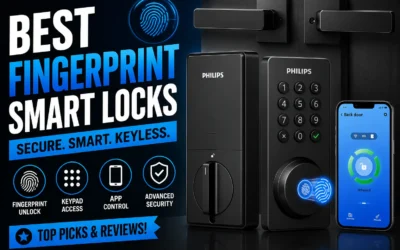
This Philips WiFi keypad door lock replaces your standard front door deadbolt with options like fingerprint, app control, voice commands, or codes, making entry smooth for family members carrying packages or kids' gear. You gain peace of mind from real-time notifications about who unlocks the door and when, whether checking on deliveries left at the porch or ensuring teens get home safely after school. The auto-lock feature kicks in customizable seconds after closing, preventing forgetful exits that leave your home exposed during daily routines.
For guest access, create one-time or scheduled codes via the app, ideal for letting in repair workers or dog walkers without being present. Vacation mode disables the keypad entirely, securing your property while you're away and reducing risks from unknown visitors approaching the driveway. Soft lighting on the keypad aids nighttime use, and silent mode keeps operations quiet to avoid waking sleeping children inside.
Backup keys provide manual access if power fails or WiFi drops, ensuring reliability for everyday front door security. Activity logs in the app let you review entries over time, spotting patterns like frequent late-night unlocks that might signal issues with shared codes. Overall, it fits standard doors and handles common household scenarios without complexity.
Verify your door fits before buying: works on thicknesses from 1-3/8 to 1-3/4 inches (38mm to 50mm). Use only a screwdriver for a quick DIY setup, following the provided video guide.
- Supply 8 AA alkaline batteries (not included) for power.
- Press and hold reset button for 5 seconds to activate after install.
- Test mechanical keys and keypad right away to confirm fit on your front door.
- Connects directly to home WiFi; no extra hub needed for app setup.
The Philips Home Access app handles remote control without hubs, linking to your home WiFi for front door management from anywhere. Get instant alerts on unlocks to monitor deliveries or family arrivals.
- Manage fingerprints, codes, and schedules for users like kids or guests.
- View full access history to track entries over days or weeks.
- Works with Alexa or Google Assistant for voice commands when hands are full.
- Set auto-lock timing and vacation mode for hands-off security.
Buying Guide for Battery Life Smart Locks
Smart locks run on batteries, and that single fact shapes nearly every decision you will make when buying one. The lock you choose needs to stay reliable for months at a time, work through cold nights and power-hungry app updates, and alert you before it dies rather than after. Here are the key things worth checking before you buy.
Battery Type and Chemistry
Not all AA or AAA batteries perform the same inside a smart lock. Standard alkaline cells drain faster under the constant Bluetooth radio load that most smart locks run, especially in colder climates where battery output drops significantly.
Lithium batteries last noticeably longer and perform more consistently in low temperatures. If the lock you are considering does not support lithium cells, check whether the manufacturer quotes battery life using alkaline or lithium ratings before trusting the advertised number.
Rated Battery Life vs. Real-World Use
Manufacturers report battery life under ideal conditions, which rarely match how you actually use your front door. A household with frequent visitors, active automations, and constant app polling will drain a lock battery two to three times faster than the spec sheet suggests.
Look for locks rated at a minimum of six months of real-world use, not just the headline figure. Reading through user reviews for battery drain complaints gives you a more honest picture than any published estimate.
Unlock Method and Energy Draw
The way you unlock the door has a direct effect on battery consumption. Fingerprint smart locks run a biometric scanner on every entry, which draws more power per use than a keypad or a tap-to-unlock phone credential.
If battery longevity is your main priority, keypad and NFC-based entry methods tend to be the most energy-efficient options. Factor in how many people use the lock daily when comparing models side by side.
Installation and Fit
A smart lock that requires major door modifications will often have thicker hardware and larger motor assemblies, both of which increase energy draw. Smart locks built for easy DIY installation typically use simpler mechanisms that put less load on the battery per cycle.
Check that the lock fits your door’s existing prep hole and backset measurements before purchasing. A proper mechanical fit means the motor does not work harder than it needs to on every turn.
Smart Home Integration Overhead
Keeping a smart lock constantly connected to a hub or voice assistant adds a low-level background drain that accumulates over time. Apple Home Key smart locks and similar NFC-based integrations handle authentication locally rather than routing through a cloud connection, which can reduce the radio workload on the battery.
If you plan to use automations or regular status polling through a smart home system, check whether the manufacturer accounts for integration load in their battery life estimates. Some do not.
Getting a clear picture of these factors before you commit will help you avoid the common frustration of a lock that needs new batteries every six weeks. The right choice keeps your door secure and your maintenance routine simple.
Why You Should Trust Us
Our reviews at Safe Home Upgrade rely on deep research into manufacturer specs, independent certifications like BHMA and UL, and aggregated performance data from verified sources. We developed the SHU Score to rate objectively on build quality, battery efficiency, security standards, and usability factors that matter to U.S. homes.
This data-driven approach cross-references real specs against safety benchmarks, ensuring picks deliver on promises without guesswork. We prioritize what keeps your property protected day in, day out.
Final Thoughts
At the end of the day, the best battery life smart lock is the one that fits your specific setup. If you mostly need reliable daily access without a lot of remote management, almost any option on this list will serve you well. Where it gets more important to choose carefully is if you travel frequently or want to hand out temporary codes — in that case, WiFi connectivity and long standby time both matter.
The ULTRALOQ Bolt Fingerprint WiFi Deadbolt is a strong fit for anyone who wants keyless convenience without the anxiety of a dead lock. Fingerprint access means you are never hunting for your phone or a key, and the app keeps you in control even when you are not home.
FAQs
How long should a smart lock battery last on average?
Most smart locks run 6 to 12 months on a single charge or battery set under normal daily unlocks. Factors like WiFi use and weather affect this, with top models hitting a year for front doors. Opt for low-drain Bluetooth to stretch further in cold climates.
Do smart locks work without WiFi for battery savings?
Yes, many operate locally via Bluetooth or keypad for unlocks, saving battery over constant WiFi. App remote access needs internet, but local use covers 90% of entries. This setup fits renters avoiding hub wiring.
Are rechargeable smart lock batteries better than AA?
Rechargeables last longer per cycle and reduce waste, often up to 12 months for busy doors. AA types allow quick swaps without downtime. Choose based on your recharge habits and door location.
Can battery life smart locks handle cold weather?
Models with IP65 ratings and lithium batteries perform well down to 14°F without major drain. Keep spares indoors for extreme cold. Pair with insulated covers for garages or unheated entries.
Write Your Review
No reviews yet. Be the first to share your experience!