

Most indoor cameras look good on the spec sheet and fall apart in the room you actually need them in. A fixed lens misses the corner where your toddler wanders, a low-resolution feed makes a face unreadable, and a camera that floods your phone with motion alerts every ten minutes gets switched off within a week. Getting coverage right inside your home takes more than just buying something with a high megapixel count.
A good 4K indoor security camera gives you the resolution to actually identify what happened and the smarts to tell you when it matters. We went through the top models on the market right now to find options that balance image quality, useful features, and privacy controls that do not make you feel like you are being watched in your own home.
Our overall choice for the best 4K indoor security camera is the eufy Indoor Cam S350. It pans and tilts across a full room so you are not stuck with one static angle, and at 4K it captures enough detail to tell the difference between your dog and your kid from across the living room. Have a look at the rest of our picks below and find the one that fits your needs.
Our Top Picks

eufy E30 4K Indoor Cameras 2-Pack: 360° Pan-Tilt for Monitoring Kids, Pets, Entryways Without Fees
Pros
- AI detection focuses alerts on people and pets, ignoring minor movements for fewer interruptions
- 360-degree pan and tilt give full room coverage from a single spot, ideal for open living spaces
- Color night vision with spotlight improves visibility in low-light areas like hallways
- No ongoing fees with local storage keep long-term costs low for daily monitoring
- Works with HomeKit, Alexa, and Google for simple voice checks on family areas
Cons
- Requires a separate microSD card for storage, adding an extra purchase step
- HomeKit limits video to 1080p, reducing sharpness compared to full 4K app view
- Only connects to 2.4GHz WiFi, which can limit range in larger homes with thick walls
The eufy E30 indoor cameras deliver reliable 360-degree coverage for everyday home spots like living rooms and entryways. With pan-tilt movement and AI tracking, they follow people or pets across the space, ensuring you see full activity without blind spots. This setup works well for checking on kids in play areas or monitoring who approaches the front door from inside, providing clear 4K daytime video that captures details like package labels.
At night, the built-in spotlight switches on for color night vision, lighting up dark kitchens or hallways so you distinguish visitors from shadows. Two-way audio lets you speak directly to family members or deter intruders verbally, adding a layer of immediate response. The on-device AI cuts down false notifications by recognizing human shapes and pet movements, which saves time when reviewing footage from baby rooms or pet zones.
Local storage via microSD card means all recordings stay on your device without subscriptions, making it straightforward to pull up clips of deliveries or daily routines. Compatibility with HomeKit and voice assistants integrates it into routines, like asking Alexa to show the entryway feed. Overall, these cameras offer practical peace of mind for indoor protection without complexity.
For homes with multiple floors or open layouts, placing one camera per key area maximizes effectiveness, focusing on high-traffic spots to cover family safety and property checks efficiently.
Position these indoor cameras high on walls or shelves in central spots for best coverage of living areas, baby rooms, or entryways. Aim for outlets nearby since they plug in for constant power, and test the view to avoid furniture blocking the lens.
- Living rooms: Ceiling mount or bookshelf corner for 360-degree sweep of sofas and play zones.
- Entryways: Near doors to watch approaches without outdoor exposure.
- Baby/pet areas: High shelf overlooking cribs or pet beds for tracking movement.
- Avoid direct sunlight or heat sources to maintain clear video; 10-15 feet height catches full room action.
Footage saves locally to a microSD card inserted in each camera, supporting up to continuous 24/7 recording without cloud needs. This keeps reviews private and fee-free for checking deliveries or family moments.
- Card not included: Buy 128GB or larger Class 10 cards for weeks of storage per camera.
- HomeBase 3 compatible: Connects for centralized storage and faster AI processing across multiple cameras.
- App management: Easily delete old clips or export videos of door visitors or pet play.
- Optional cloud backup available if you want remote access beyond local setup.

Pros
- Sharp daytime and nighttime views make it easy to identify details in any room lighting
- Smooth auto-tracking keeps moving subjects like kids or dogs centered in view
- Local storage option with no fees keeps recordings private and accessible
- Simple app controls let you pan, tilt, and zoom from your phone anywhere
- Privacy mode blocks the lens when not needed for family comfort
Cons
- Requires a separate microSD card purchase for local recording since none included
- Occasional Wi-Fi disconnects can delay responses in larger homes
- Needs a nearby outlet as it plugs in rather than running on battery
This indoor camera mounts on walls, ceilings, or stands to sweep 360 degrees across rooms like living areas or hallways, eliminating gaps where kids or pets might go unseen. The dual lenses deliver close-up detail on faces or actions up to 32 feet away, even after dark, so you spot exactly what is happening during evening checks on deliveries left inside or family movements.
Built-in detection focuses alerts on people or animals, cutting down on unnecessary phone buzzes from fans or lights, while the tracking feature follows motion smoothly around corners or furniture. Place it in a nursery to oversee sleep without disturbance, or in a home office to monitor entries when working remotely, providing steady reassurance without cloud dependencies.
For pet owners, it excels at keeping dogs or cats in frame as they roam, helping you review playtime or mischief later through the app. Everyday reliability comes from plug-in power that supports continuous recording, paired with voice control for quick checks via assistants, making it a solid choice for routine indoor protection.
Overall, it strengthens home oversight in shared spaces by prioritizing clear sightlines and smart focus, directly addressing common needs like pet supervision or child safety without ongoing costs.
Position this camera to maximize coverage in high-traffic areas inside your home. Corner mounts overlooking living rooms catch all angles without furniture blocking views, ideal for watching kids or pets from one spot.
- Living room corners for full sweeps of seating and entry points.
- Nursery ceilings to monitor cribs and play areas overhead.
- Hallway walls near stairs for traffic between rooms.
- Basement studs for utility monitoring like water heaters.
- Use the included stickers to test positions before screwing in for stick-up or permanent setups.
The AI handles everyday indoor motion by distinguishing humans and pets from background noise, sending targeted phone notifications that matter. Tracking locks on and follows subjects fluidly, reducing the need to manually adjust views during remote checks.
- Pet detection flags cats jumping or dogs barking without false triggers from TVs.
- Human alerts notify for family returns or unexpected visitors inside.
- App playback skips to events quickly, with two-way talk for calming pets remotely.
- Connects to Wi-Fi for live feeds, but signal strength affects tracking speed in big homes.
- Privacy mode tilts the lens down and stops recording when home for peace of mind.

Anona 4K Indoor Security Cameras 4-Pack: Clear Views for Pets, Kids, and Home Interiors
Pros
- Sharp 4K video and zoom let you see details across a room without getting closer
- AI detection cuts down on unnecessary alerts by focusing on people, pets, or crying
- Full pan and tilt coverage means one camera watches large indoor spaces effectively
- Phone app gives instant access and control from anywhere in your home or away
Cons
- MicroSD cards for local storage are not included, so you need to buy them separately
- Requires a power outlet nearby, limiting spots without extension cords
- App setup can take extra steps if your home WiFi signal is weak in some areas
These Anona indoor cameras deliver clear, detailed video that helps homeowners keep tabs on key indoor areas like nurseries, living rooms, and kitchens. With the ability to pan across 360 degrees and tilt up and down, a single unit covers wide spaces, tracking movement such as a pet wandering or a child playing. This setup gives you confidence when you're in another room or away, reducing the need to physically check on things.
The built-in detection for people, pets, and baby crying sends phone notifications right away, focusing alerts on what matters most. For instance, place one in the baby's room to catch cries early, or near the back door inside to monitor pet access. Night vision keeps views steady in low light, so you see what's happening during evening hours without glare or fuzzy images.
Two-way audio lets you talk through the camera to soothe a restless pet or remind kids to stay put. Footage saves to a cloud service or local card, making it easy to review events like unexpected visitors at the front entryway. Overall, this 4-pack offers practical coverage for multiple rooms, bringing straightforward monitoring to daily home life.
Auto-tracking follows activity smoothly, ensuring nothing slips by in busy family spaces. The design prioritizes ease, helping you maintain oversight on deliveries left inside or family movements without constant phone peeking.
Position these cameras in high-traffic indoor spots for best results, keeping the lens at eye level or slightly higher to avoid obstructions. Aim for corners to maximize the pan and tilt range, covering areas like entryways, playrooms, or pet zones.
- Nursery or kid's room: Mount on a shelf facing the crib to detect crying and track little ones.
- Living room: Place high on a wall to watch pets or guests without blocking views.
- Kitchen or hallway: Angle toward doors for monitoring deliveries or family traffic.
- Avoid direct sunlight or heat sources to keep video clear day and night.
Choose between cloud storage for remote access or local microSD cards up to 512GB for footage that stays on-site. Cloud uses secure encryption, while local saves money long-term but requires buying cards separately.
- Cloud: Automatic backups, view from phone anywhere, ideal for reviewing pet antics or visitor clips on the go.
- Local SD card: No monthly fees, keeps recordings private at home for checking kid safety or door activity.
- Both options loop recordings, overwriting old files to manage space without hassle.

Hugolog 2K Dome Cameras: Clear Monitoring for Front Porch, Backyard Gate and Home Entrances
Pros
- Clear color video at night helps identify visitors or animals on porches without extra lights
- Motion alerts reduce checking empty notifications by focusing on real movement
- Four-camera pack covers multiple spots like doors and driveways at a practical cost
- Two-way talk works for greeting deliveries or warning off strangers at gates
- IP65 build holds up outdoors against rain for reliable year-round coverage
Cons
- Requires a power outlet nearby since no battery option means running cords for outdoor spots
- Depends on steady home WiFi which can drop alerts in weak signal areas like far backyards
- SD card not included so add-on purchase needed for local storage without cloud fees
These Hugolog 2K dome cameras fit everyday home protection needs by providing clear views of key areas like front porches and backyard gates. The starlight color night vision captures details in low light, so you see a delivery person or stray animal without grainy footage. Motion detection sends phone notifications only for relevant activity, cutting down on unnecessary checks during family dinners or bedtime.
For indoor use, place one in a hallway to watch kids heading to the kitchen, with two-way talk letting you call out reminders. Outdoors, the IP65 waterproof rating stands up to rain or snow on garage doors, while the built-in spotlight activates on movement to light up driveways. This setup gives peace of mind without constant monitoring, as playback lets you review events like package drops.
Integration with Alexa means asking your device to show the front door feed hands-free, useful when cooking or unloading groceries. The four-pack covers multiple entrances affordably, focusing on practical visibility over fancy extras. Overall, they deliver straightforward coverage for porches, gates, and indoor spots where families need reliable eyes.
Alerts include lights and sirens to deter intruders at side yards, adding a layer of deterrence. Storage options keep footage accessible, ensuring you never miss reviewing a visitor at the door or activity near the kids' play area.
Position these dome cameras to cover high-traffic home areas effectively. Focus on spots needing constant oversight like entrances.
- Front porch or door: Mount under eaves facing the steps to catch deliveries and visitors clearly.
- Backyard gate: Angle toward the latch area for gate-open alerts without tree obstructions.
- Driveway or garage: Place high on walls to view vehicles and foot traffic day or night.
- Indoor hallways: Ceiling mount to scan paths to kids' rooms or kitchens.
Avoid direct sun or WiFi dead zones for steady performance. Use included mounts for walls or ceilings in under 10 minutes.
Choose storage to fit your review needs for events like porch deliveries or gate checks. Both options support easy playback.
- Local SD card: Insert up to 256GB card for weeks of footage without monthly fees; review offline anytime.
- Cloud storage: US-based secure plans for remote access from anywhere, auto-backup for multiple cameras.
- Both allow 24/7 recording with motion clips saved separately to save space.
Phone app handles quick searches by time or event, pulling up backyard activity in seconds.
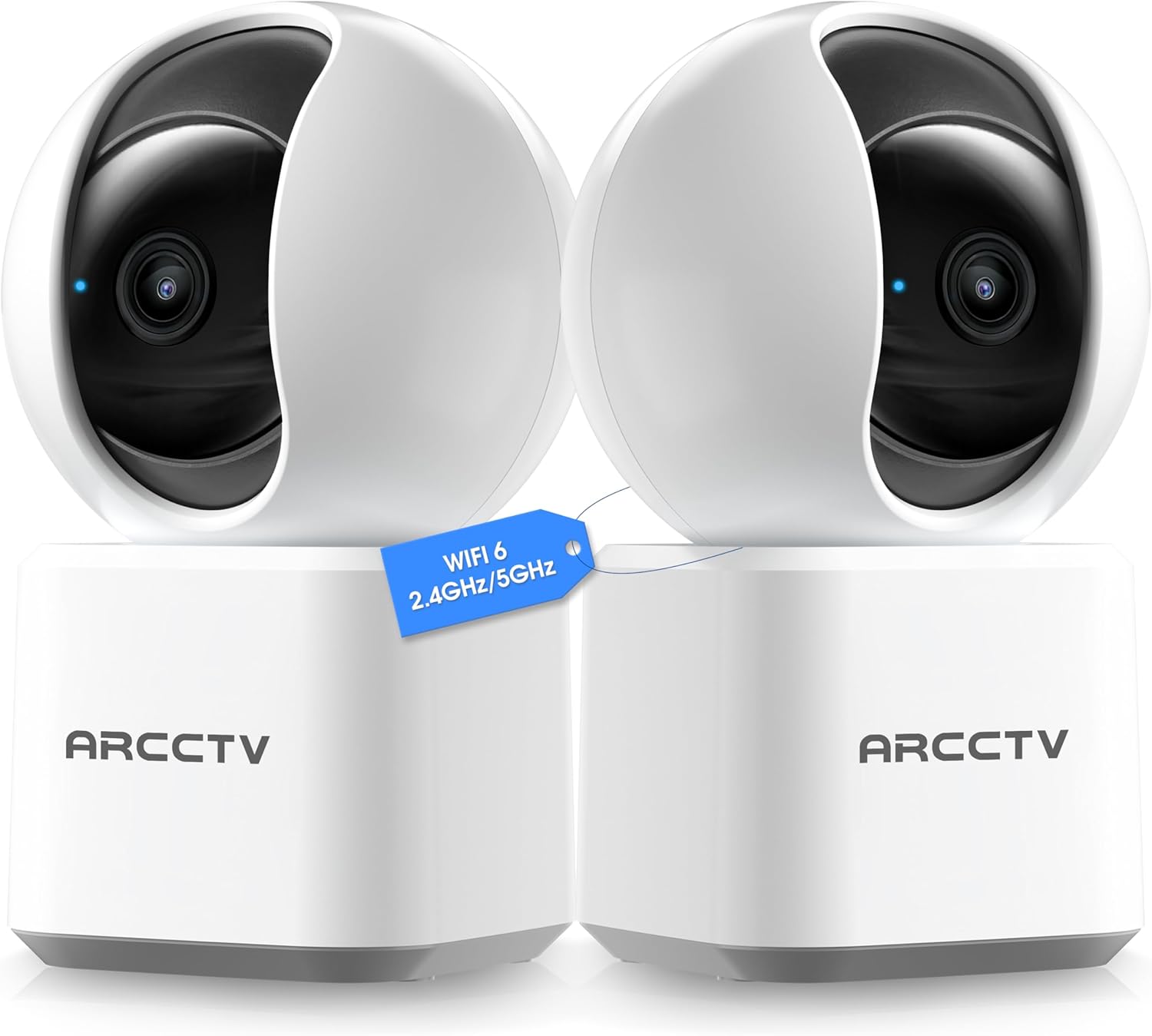
Pros
- Automatic motion tracking keeps moving subjects like pets or kids in view
- Full 360-degree pan and tilt covers whole rooms without blind spots
- Clear night vision provides visibility up to 30 feet in dark areas
- Two-way audio allows direct communication with family or visitors
- Local SD card storage avoids monthly fees for basic recording
Cons
- Requires a nearby power outlet since it plugs in with no battery option
- MicroSD card not included, so extra purchase needed for local storage
- Night vision is infrared only, producing black-and-white footage
This indoor camera mounts on ceilings or walls to watch over common home areas like living rooms or nurseries. Its wide pan and tilt let you scan the full space remotely, while automatic motion tracking follows activity such as pets chasing toys or kids running around, keeping everything in frame for better awareness.
For front indoor spaces near doors, it sends alerts when someone enters, helping you monitor deliveries or unexpected visitors without constant checking. The two-way audio works for quick talks, like calming a barking dog or chatting with elderly relatives from your phone, adding a layer of connection during daily routines.
Night vision ensures you see clearly up to 30 feet in unlit rooms, such as basements or hallways, reducing surprises from nighttime movements. Storage options fit different needs: use an SD card for free local clips of motion events, or cloud for backups if the camera gets damaged, giving reliable access to footage tied to your home protection setup.
Overall, it addresses everyday indoor monitoring gaps, like securing play areas or pet zones, with straightforward app control that integrates with Alexa for voice checks on Echo devices.
Position this camera high on ceilings or corners for optimal room coverage inside homes. Aim it to cover key areas without obstructions for clear views of entry points or play spaces.
- Living rooms or kitchens: Center it to track pets or family movements across open floors.
- Nurseries or kids' rooms: Mount above cribs to follow activity without invading privacy.
- Hallways near doors: Angle toward entrances to spot visitors or packages inside.
- Avoid direct light sources or WiFi dead zones to maintain steady connections and visibility.
Choose local or cloud storage based on your monitoring needs for indoor footage. Local uses a microSD card up to 256GB for fee-free motion clips, while cloud offers backups accessible anywhere.
- SD card (not included): Records continuous or motion events directly; supports up to 128GB recommended for weeks of home clips.
- Cloud subscription: Protects videos if camera is stolen; allows remote playback via app without space limits.
- Both options integrate with the app for easy review of pet or kid activity from your phone.
Pros
- AI detection focuses alerts on people and pets, ignoring minor movements for fewer interruptions
- 360-degree pan and tilt give full room coverage from a single spot, ideal for open living spaces
- Color night vision with spotlight improves visibility in low-light areas like hallways
- No ongoing fees with local storage keep long-term costs low for daily monitoring
- Works with HomeKit, Alexa, and Google for simple voice checks on family areas
Cons
- Requires a separate microSD card for storage, adding an extra purchase step
- HomeKit limits video to 1080p, reducing sharpness compared to full 4K app view
- Only connects to 2.4GHz WiFi, which can limit range in larger homes with thick walls
The eufy E30 indoor cameras deliver reliable 360-degree coverage for everyday home spots like living rooms and entryways. With pan-tilt movement and AI tracking, they follow people or pets across the space, ensuring you see full activity without blind spots. This setup works well for checking on kids in play areas or monitoring who approaches the front door from inside, providing clear 4K daytime video that captures details like package labels.
At night, the built-in spotlight switches on for color night vision, lighting up dark kitchens or hallways so you distinguish visitors from shadows. Two-way audio lets you speak directly to family members or deter intruders verbally, adding a layer of immediate response. The on-device AI cuts down false notifications by recognizing human shapes and pet movements, which saves time when reviewing footage from baby rooms or pet zones.
Local storage via microSD card means all recordings stay on your device without subscriptions, making it straightforward to pull up clips of deliveries or daily routines. Compatibility with HomeKit and voice assistants integrates it into routines, like asking Alexa to show the entryway feed. Overall, these cameras offer practical peace of mind for indoor protection without complexity.
For homes with multiple floors or open layouts, placing one camera per key area maximizes effectiveness, focusing on high-traffic spots to cover family safety and property checks efficiently.
Position these indoor cameras high on walls or shelves in central spots for best coverage of living areas, baby rooms, or entryways. Aim for outlets nearby since they plug in for constant power, and test the view to avoid furniture blocking the lens.
- Living rooms: Ceiling mount or bookshelf corner for 360-degree sweep of sofas and play zones.
- Entryways: Near doors to watch approaches without outdoor exposure.
- Baby/pet areas: High shelf overlooking cribs or pet beds for tracking movement.
- Avoid direct sunlight or heat sources to maintain clear video; 10-15 feet height catches full room action.
Footage saves locally to a microSD card inserted in each camera, supporting up to continuous 24/7 recording without cloud needs. This keeps reviews private and fee-free for checking deliveries or family moments.
- Card not included: Buy 128GB or larger Class 10 cards for weeks of storage per camera.
- HomeBase 3 compatible: Connects for centralized storage and faster AI processing across multiple cameras.
- App management: Easily delete old clips or export videos of door visitors or pet play.
- Optional cloud backup available if you want remote access beyond local setup.

Pros
- Sharp daytime and night views help spot details in rooms like kitchens or living areas
- Wide angle covers larger indoor spaces without needing multiple cameras
- Quick plug-in setup works with Bluetooth for easy placement near outlets
- Motion alerts notify you fast about activity inside the home
- Two-way audio lets you communicate directly from your phone anywhere
Cons
- Smarter alerts that distinguish people from pets require a paid subscription
- Needs a nearby power outlet, limiting spots without extension cords
- Designed for indoor use only, so not suitable for garages or outdoors
These myQ Indoor Plug-in Security Cameras Gen 2 provide a straightforward way to keep tabs on indoor areas like the living room or kitchen entry. The sharp 2K views and wide angle let you see more of the space clearly, day or night, so you catch details such as a child entering a room or a pet jumping on furniture. Motion detection sends real-time alerts to your phone, helping you respond quickly to activity while away from home.
Placement is flexible with the included stand and swivel adjustment, fitting spots near outlets without drilling or tools. For front door monitoring inside, the night vision ensures you review what happened in low light, reducing guesswork about evening deliveries or family arrivals. Two-way audio adds control, letting you speak through the camera to settle a pet or check on someone directly.
A 2-pack covers multiple rooms efficiently, like one for the kids' area and another for the hallway. While basic motion works out of the box, person and pet detection needs a subscription for fewer unnecessary alerts from shadows or sunlight. Overall, they deliver reliable indoor oversight for everyday family and property checks.
This setup suits homeowners wanting simple visibility into home activity without complex wiring, focusing on practical alerts and communication for peace of mind during daily routines or time away.
Position these plug-in cameras in indoor spots with nearby outlets for best results, focusing on high-traffic areas like entryways or family rooms.
- Front door inside: Aim at the entry to watch arrivals or packages without outdoor exposure.
- Kitchen or living room: Swivel to cover countertops or seating for pet or kid monitoring.
- Hallway or nursery: Use night vision for dark paths; avoid direct sunlight to cut glare.
- Keep 6-10 feet from subjects for clear focus; test the wide angle via app preview.
Mount on a shelf or table with the stand; extension cords work if outlets are short, but secure them to avoid trips.
The myQ app handles setup, viewing, and notifications simply from your phone, with customizable alerts for indoor motion.
- Real-time push alerts for any movement, like kids or pets in viewed areas.
- Two-way audio for talking back from anywhere, useful for quick family check-ins.
- Subscription unlocks person/pet detection to ignore shadows or minor shifts.
- Live view and recorded clips accessible remotely; no local storage mentioned, so rely on app cloud features.
Bluetooth speeds initial pairing; Wi-Fi keeps it connected for ongoing use across home networks.

Pros
- Sharp 4K video captures fine details like faces or small objects from across a room
- Automatic motion tracking follows people or pets for continuous coverage without manual adjustment
- On-device AI reduces false alerts by focusing on people, pets, or cries only
- Privacy mode physically blocks the lens for control over personal spaces
- Works with voice assistants to view live feeds hands-free on smart displays
Cons
- Requires a nearby power outlet since it is wired and not battery-powered
- MicroSD card for local storage is sold separately and must be compatible
- Full pan and tilt range is reduced when privacy mode is active
This indoor camera covers an entire room with its pan and tilt, making it straightforward to watch high-traffic areas like hallways or living rooms. You get clear views day or night, so checking on sleeping kids or a pet left alone becomes reliable without squinting at fuzzy footage. Motion tracking keeps the lens on moving subjects, which helps spot someone approaching the front door or wandering through the house.
Alerts arrive on your phone for detected people, pets, or even baby cries, cutting down on unnecessary notifications from shadows or wind. Set it to ignore certain spots like a bed or bathroom for privacy, while focusing on entry points. The two-way audio lets you speak to calm a fussy child or deter a stranger, adding a layer of deterrence right from your app.
For everyday homeowners, it fits scenarios like monitoring packages on the porch through a window or securing a home office. Local storage means no ongoing fees to review footage of who came by during the day. Night vision reaches across typical rooms, ensuring you see details even in low light without extra lights.
Overall, it delivers practical coverage for indoor spaces where wired setup works, prioritizing alert accuracy and user control over complex extras.
Position this camera in corners of rooms for widest coverage of doors, hallways, or play areas. Aim it high on shelves or walls to avoid tampering and get a broad downward view of floors where kids or pets move.
- Front-facing windows: Overlook porches for delivery checks without outdoor exposure.
- Living rooms or nurseries: Center for 360-degree sweeps to track activity.
- Near outlets: Essential due to the power cord; extension cords work if needed.
- Avoid direct sunlight or heat sources to maintain clear lens performance.
Record continuously to a microSD card up to 512GB for weeks of footage without subscriptions, ideal for reviewing daily home events like visitor arrivals. Cloud storage adds 30-day history and extras like advanced tracking, but local works fee-free.
- MicroSD (local): Buy compatible card separately; stores full clips for playback anytime.
- Tapo Care cloud: Optional for backups and sharing clips of incidents.
- RTSP/ONVIF support integrates with existing recorders for larger setups.
- Privacy zones prevent saving unwanted areas, saving space.
Buying Guide for 4K Indoor Security Cameras
Choosing an indoor security camera is different from picking one for your yard. The environment is more controlled, the distances are shorter, and privacy matters a lot more. Getting the right setup comes down to a handful of specs that most product listings gloss over. Here are the key things to look at before you buy.
Field of View and Coverage
Wide-angle lenses sound appealing, but they distort the edges of the frame in a way that makes faces and detail hard to read. A 110-degree field of view is usually the sweet spot for a single room, giving you full coverage without the fisheye warp that ruins close-up detail.
For larger spaces like open-plan living areas, look for a 4K indoor security camera with pan-and-tilt functionality instead of buying multiple fixed cameras. One camera that moves is often cleaner and cheaper than two static ones.
Smart Motion Detection and AI Filtering
Indoor cameras without smart filtering send constant alerts. A dog walking through the frame, a ceiling fan casting shadows, or a curtain shifting in an air vent can all trigger notifications if the camera only detects pixel change rather than recognizing shapes.
Look for cameras that distinguish between people, pets, and general motion before buying. That distinction is what separates a useful alert from one you start ignoring after the first week.
Night Vision in Low-Light Rooms
Indoor night vision is a different challenge than outdoor. Rooms are smaller and usually have some ambient light, which means an infrared flood can actually overexpose close subjects and wash out the detail you need.
Cameras with adjustable IR intensity or color night vision that uses ambient light give you much better results indoors. If you want readable footage after dark, cameras built specifically for night vision handle low-light interiors far better than cameras that default to a single fixed IR output.
Local vs Cloud Storage
Many indoor cameras require a monthly plan to access recorded footage, which means the moment your subscription lapses, you lose your history. That is easy to overlook when the camera is cheap upfront.
If continuous recording matters to you, look at 4K cameras with local storage options that store footage on an SD card or NVR directly. Local storage adds some setup time but removes the ongoing cost and keeps your footage accessible regardless of a service going down.
Two-Way Audio Quality
Two-way audio is listed as a feature on almost every indoor camera, but the quality gap is wide. Cameras with small, omnidirectional microphones pick up room echo and HVAC noise as much as they pick up voices, making conversations hard to follow.
Look for cameras that mention noise cancellation or directional microphones in the specs. For a battery-powered indoor security camera, microphone quality is especially worth checking since placement flexibility means the camera may sit further from the subject than a wired unit would.
Once you know which of these factors matter most for your space, the shortlist gets much smaller fast. The right camera fits your room, your habits, and your privacy comfort level, not just the resolution on the box.
Why You Should Trust Us
Our reviews at Safe Home Upgrade draw from deep market research, cross-referencing manufacturer specs with independent certifications and verified user data patterns. We developed the SHU Score to rate based on build quality, safety standards like UL listings, and practical usability factors such as alert accuracy and setup simplicity.
This data-driven approach ensures picks align with real home needs, prioritizing durable components and reliable performance over unverified claims. We aggregate specs from thousands of listings to highlight consistent standouts.
Final Thoughts
Picking the right indoor camera comes down to what you actually need it to do. If you want basic room coverage without a lot of setup, most of the options on this list will handle that cleanly. But if you are monitoring a larger space or tracking a pet or young child who moves around constantly, it is worth paying closer attention to field of view and pan-tilt range rather than just resolution.
The eufy Indoor Cam S350 is a strong fit for that second situation. Its 4K pan-tilt design covers the whole room rather than a fixed slice of it, which makes it one of the more practical best 4K indoor security cameras for households where something is always moving. Once it is set up, you get full room visibility without repositioning anything.
FAQs
Do 4K indoor security cameras need Wi-Fi?
Most 4K indoor security cameras require 2.4GHz or 5GHz Wi-Fi for live viewing and alerts. They connect directly to your home network without hubs in many cases. Offline models exist but limit remote access, suitable only for local recording in stable setups. Check compatibility for dual-band support in larger homes.
How good is night vision on indoor 4K cameras?
Night vision on solid 4K indoor cameras reaches 30 feet with clear facial recognition in total dark. Infrared LEDs or starlight sensors provide color footage under low light like nightlights. This works well for bedrooms or hallways where overhead lights stay off. Avoid cheap models with 10-foot limits that blur details.
Are 4K indoor cameras worth it over 1080p?
4K indoor cameras capture four times more detail than 1080p, identifying small items or faces across rooms. They shine in digital zoom without pixelation during playback. For small spaces under 10 feet, 1080p suffices, but 4K future-proofs for larger monitors. Storage needs rise, so balance with local SD options.
Can indoor security cameras work without subscriptions?
Many 4K indoor security cameras store footage locally on SD cards or hubs without subscriptions. This keeps all clips private and accessible anytime. Cloud features often require fees for extras like extended history. Pick models with expandable storage for ongoing use in homes with spotty internet.
What makes a good indoor camera for pets?
A good indoor pet camera includes AI pet detection, auto-tracking, and two-way audio for monitoring play or barking. 4K clarity shows behavior details like chewing toys from afar. Pan-tilt covers active areas like living rooms.


Write Your Review
No reviews yet. Be the first to share your experience!