

Finding a box on your porch is one thing, but knowing exactly when it arrived and whether it was handled properly is another. A standard motion alert tells you something moved, leaving you to guess if it was a delivery person, a passing car, or just a squirrel.
Doorbell cameras with dedicated package detection filter out the noise by using AI to recognize the shape and placement of parcels. This means you get an alert specifically for deliveries, not every leaf that blows by. We looked at the Best Doorbell Cameras With Package Detection to find ones that do this job reliably without needing constant attention.
Our overall pick for best doorbell cameras with package detection is the eufy Security Video Doorbell E340. Its dual-camera design gives you a clear head-to-toe view of visitors and a dedicated downward shot of the doorstep, making package identification straightforward. Our top picks are just below.
Our Top Picks
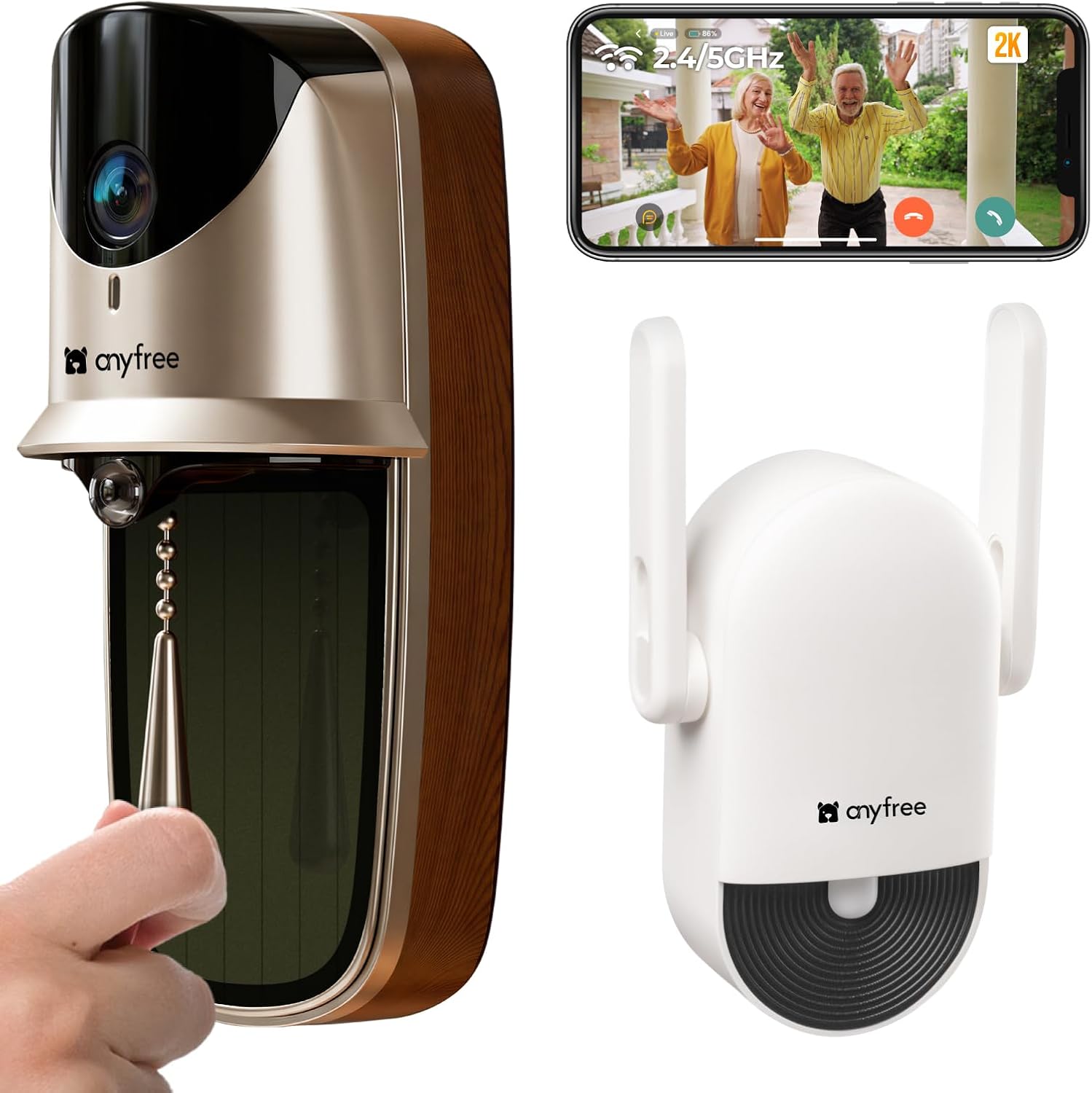
Pros
- Keeps running on solar without regular battery swaps.
- Cuts false motion alerts with layered detection.
- Plays chimes inside so you hear visitors clearly.
- Stores video locally on SD card at no cost.
Cons
- Solar charging slows in shaded or cloudy spots.
- SD card must be bought separately.
- Pull ring button may confuse some visitors at first.
This solar video doorbell gives homeowners a reliable way to see activity at the front door without added fees. It combines a wide view with motion alerts that focus on real movement like approaching people or packages.
The solar panel handles daily power needs in sunny spots so you avoid climbing up often to recharge. Night vision stays clear enough to spot items left on the porch or check who stands at the entry after dark.
The main trade-off comes with placement since direct sun is needed for steady charging and some homes have limited options on covered porches. Worth noting before buying that the pull ring may take a moment for guests to use correctly.
This product suits owners who want simple monitoring at one main door without complex setup.
Position the doorbell at standard eye level on the door frame or wall beside the entry. This height captures full body views and packages on the ground in front of the door.
Front door monitoring works best on wood or metal frames where screws hold firm. Apartment renters can use the adhesive mount on smooth surfaces without drilling.
- Avoid deep overhangs that block sun from the panel.
- Angle slightly downward to cover steps and porch floor.
- Test the view from inside before final mounting.
- Keep it away from swinging gates that could block sight lines.

Pros
- No fees for video storage or alerts
- Shows both people and ground packages at once
- Works wired or with removable battery
- Connects to existing home chimes
Cons
- Battery stays installed even in wired setups
- Only works on 2.4 GHz networks
- Does not support Apple HomeKit
The eufy E340 provides solid front door coverage with its dual cameras that capture both head-to-toe views and ground level packages.
This setup helps when deliveries arrive or visitors approach while you are inside or away. Local storage keeps footage on the device without extra costs.
The main trade-off is that the battery must remain in place even when wired to power. It also skips support for certain smart home systems.
I find it works best for homeowners who want simple monitoring without ongoing fees and already use compatible voice assistants.
Position the doorbell at standard height on a door frame or siding for the best visitor and package views. Wood frame homes allow easy screw mounting while brick may need anchors.
Consider these placement factors:
- Angle the unit to cover the full porch area in apartments with limited space.
- Avoid direct sun or overhang shadows that reduce night visibility on new installs.
- Replace an old doorbell by using existing wires for continuous power in older homes.
- Test the field of view before final mounting to catch driveway edges.

Pros
- Flexible wired or battery setup for any door.
- Wide view covers head to toe at the entrance.
- Free alerts without extra fees for detections.
- Indoor chime helps hear visitors throughout the house.
Cons
- MicroSD card must be bought separately for storage.
- Battery life shortens with frequent use or cold weather.
- Requires 2.4 GHz Wi-Fi only.
The Tapo D225 delivers reliable front door coverage for everyday homeowners who need simple monitoring without subscriptions. It handles both wired and battery options to fit different homes.
This setup works well for watching package deliveries on the porch or spotting visitors at the entry. Full color night vision helps maintain visibility after dark while AI alerts focus on people or vehicles.
The main trade-off is the need for a separate microSD card to store recordings locally. Battery performance also varies with weather and usage patterns.
It suits homeowners seeking straightforward doorbell coverage without complex setups.
Position the Tapo D225 at standard doorbell height on your front door for best results. The included wedges help adjust angles on wood or metal frames.
- Use the 15 degree wedge on narrow porches to reduce side blind spots.
- Place the chime indoors near high traffic areas like the kitchen.
- Hardwire it on homes with existing wiring for nonstop recording.
- Check battery models first on apartments without wiring access.
- 180 degree view captures packages on the ground and taller visitors.

Pros
- Wireless sensors install fast on any door or window.
- Base station keeps working through power outages.
- Camera shows clear indoor views from a phone.
- Key fob allows remote arming up to thirty feet away.
Cons
- Camera needs a nearby power outlet for constant use.
- Full alerts require an ongoing monitoring subscription.
- Motion sensors cover up to thirty five feet per unit.
This wireless system delivers reliable entry protection for typical homes by linking door sensors with an indoor camera for quick visual checks.
Door sensors catch activity at main entrances during deliveries while the camera covers living spaces to confirm if kids or pets triggered an alert. The base station siren adds an audible deterrent in larger rooms.
The main trade off is that full video monitoring and cellular backup need a paid plan. Without it basic local alerts still function but lack remote dispatch.
This setup suits renters or owners wanting simple coverage across a few key areas without complex wiring.
Place the camera in a corner of the main living area to view the full room and connect to the base station without obstruction. Entry sensors fit flat on wood or metal frames at front and back doors for reliable contact.
- Front door placement works best above eye level to watch deliveries and visitors.
- Motion sensors belong in corners of rooms to cover thirty five feet across open spaces.
- Window sensors suit ground floor apartments where break ins often start.
- Keypad location near the main entry allows fast arming before leaving the house.

Pros
- Sets up quickly with no drilling or wiring needed
- Places sensors anywhere using wireless connections
- Controls the system remotely through a simple app
- Works during power outages with built-in battery backup
Cons
- Motion sensor ignores pets over 60 pounds
- Full monitoring requires an ongoing paid plan
- Keypad needs battery changes over time
This wireless system gives homeowners reliable entry protection using four door and window sensors plus one motion detector for interior spaces.
It handles common situations like watching the front porch for packages or securing a back door in a rental property. The app lets me arm the system from anywhere while the base station keeps a cellular link active if Wi-Fi drops.
Worth noting before buying, full police dispatch needs the optional monitoring subscription rather than self-monitoring alone. The motion sensor also works best when pets stay under 60 pounds to avoid ignored alerts.
I recommend this setup for renters or owners seeking simple wireless coverage without permanent changes to walls or doors.
Setup works in most homes without tools beyond a screwdriver for sensor brackets. The base station needs a power outlet and good cellular signal for backup alerts.
- Place the keypad near an entry door for quick arming in apartments or single-story houses.
- Mount entry sensors on wood or metal frames using adhesive strips that hold on both new and older doors.
- Position the motion sensor in a corner of the main room to cover walkways while avoiding pet zones under 60 pounds.
- Test all pieces after placement to confirm signals reach the base station across different floor plans.
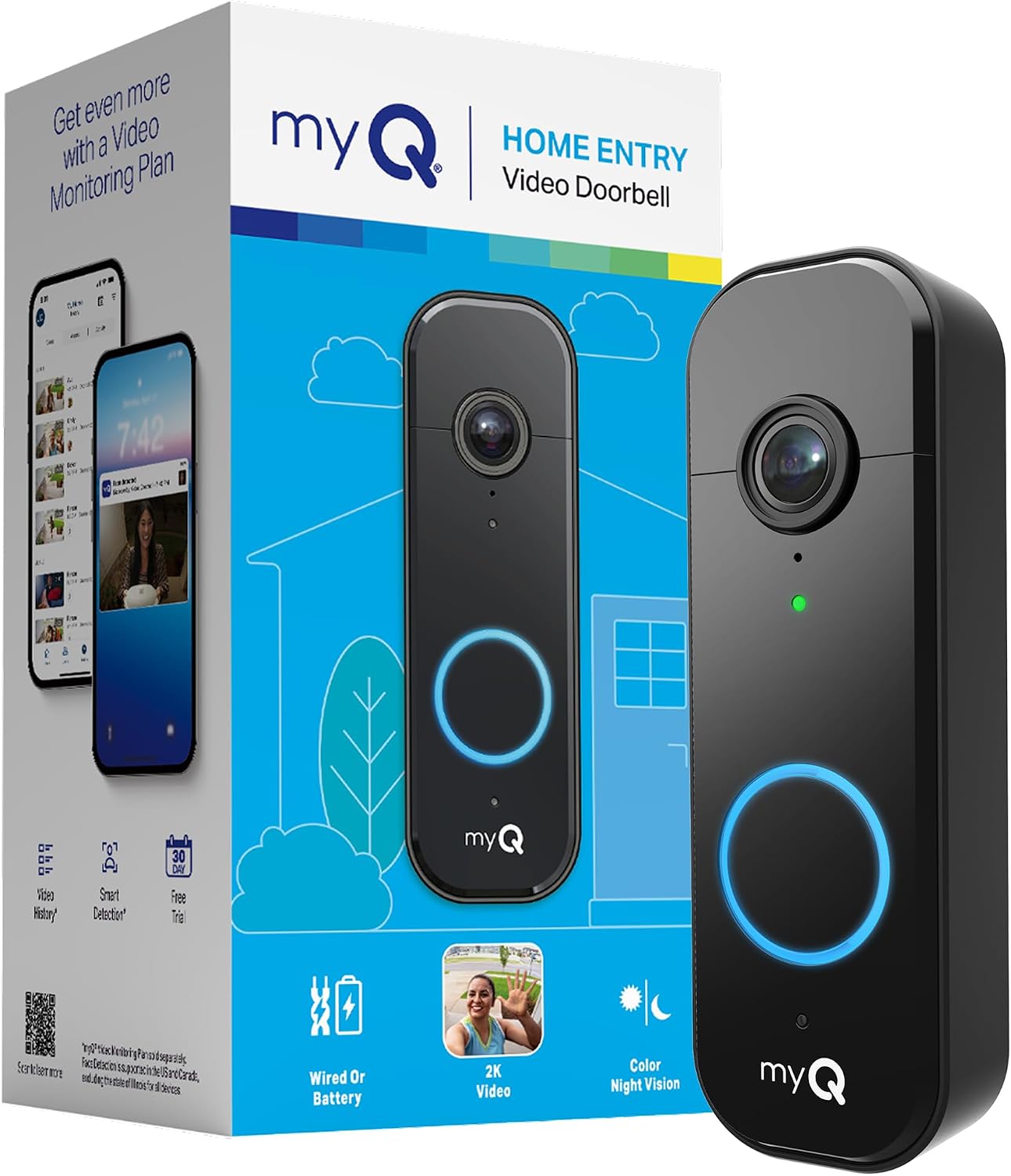
Pros
- Easy switch between battery and wired power options
- Provides clear images even at night with color vision
- Sends instant alerts for any detected movement nearby
- Fits most homes with flexible install choices
Cons
- Advanced person detection needs an extra paid plan
- Recharging the battery requires removing the unit periodically
- Wireless chime accessory is not yet available
The Chamberlain myQ Video Doorbell gives homeowners a practical way to watch the front entry from anywhere. It delivers steady video that helps track daily comings and goings without added complexity.
Motion alerts prove useful for package deliveries on the porch or spotting visitors during the day. The wide angle covers the full doorway area in most standard setups.
Worth noting before buying: full AI alerts for faces require a separate plan. Basic motion detection works without it but offers fewer details.
This model suits renters and homeowners who want straightforward video monitoring on a front door or porch.
Place the doorbell at eye level on the door frame or siding for the best view of approaching visitors and packages. This height works on both wood and metal doors common in many homes.
Key placement tips include these scenarios:
- Apartments with narrow entries benefit from centering the unit to avoid wall obstructions
- Wood-frame homes allow easy wired connection to existing chimes
- Driveway views improve when angled slightly toward the path
- Avoid direct sun exposure that can wash out images at certain times
Buying Guide for Best Doorbell Cameras With Package Detection
A doorbell camera that spots packages needs to do more than just see motion. It has to understand the difference between a person walking up and a box being set down, then tell you about it without flooding your phone with alerts. These are the practical factors that separate a useful tool from a noisy gadget.
Detection accuracy and field of view
Package detection that works means the camera can identify a parcel on your mat or steps and send a specific alert. Look for AI that is trained to recognize package shapes, not just general motion. This cuts down on false alarms from pets or shadows moving across your lawn.
The camera’s field of view decides what it can see. A very wide angle might capture your whole porch but distort the edges, making a package look smaller or farther away. A head-to-toe view combined with a dedicated downward-looking lens, like some models offer, gives a clearer picture of items left directly at the door.
Power source and installation flexibility
How you power the doorbell decides where you can put it and how often you need to touch it. Hardwired models draw from existing doorbell wiring for continuous operation, but that requires a compatible electrical setup at your front entry. Battery-powered units offer more placement freedom for doors without wires, like a side or back entrance.
Battery life varies with how often the camera records and sends alerts. A busy street with constant motion will drain a battery faster than a quiet cul-de-sac. Some models offer solar charging to extend time between battery swaps, which is useful for spots with good sun exposure. For renters who cannot alter wiring, a reliable battery model with a clear low-power warning is essential.
Video storage and privacy
Where your video footage lives matters for both access and privacy. Cloud storage lets you review clips from anywhere but often requires a monthly subscription. Local storage on a microSD card keeps data in your home, with no ongoing fees, though retrieving it remotely can be slower.
Consider what you are comfortable with. A camera that encrypts footage before sending it to the cloud adds a layer of security. For those wary of subscriptions, local storage is a straightforward choice, but remember that a damaged or stolen camera could mean losing the stored card and its recordings. Balancing these options against your budget and comfort level is key, much like choosing between different types of security cameras for other areas of your home.
Night vision and weather resistance
Packages do not only arrive in daylight. Color night vision, often aided by a small built-in spotlight, helps you see parcel labels and colors after dark, which black-and-white infrared cannot do. This makes it easier to identify what was delivered without stepping outside.
The doorbell must also handle the weather at your doorstep. Look for an IP rating that matches your climate, whether that means resistance to heavy rain, extreme heat, or freezing cold. A doorbell that fails in a storm leaves you blind exactly when you might need to check on delayed deliveries or other activity.
Once you know how you will power it, where the footage will go, and what your local weather demands, the choice narrows to a few sensible options. The right model fits your routine without adding complexity.
Why You Should Trust Us
Our recommendations are built on deep market research and analysis, not hands-on testing. We examine manufacturer specifications, cross-reference independent security certifications, and analyze how features translate to real home scenarios. Each product is evaluated through our SHU Score system, which weights factors like detection accuracy, reliability, and user-centric design based on aggregated data and verified performance metrics.
We prioritize clarity over hype, focusing on how a doorbell camera actually functions for someone expecting a delivery, managing family access, or securing a rental property. Our goal is to provide grounded, practical advice you can use to make a confident decision.
Final Thoughts
Choosing a doorbell camera with package detection comes down to reliable alerts, clear footage of your doorstep, and a setup that fits your home’s wiring. The best models distinguish a delivered box from general motion, giving you useful information without constant notifications.
For most homes, the eufy Security Video Doorbell E340 is our Editor’s Pick. Its dual-camera system is purpose-built for package detection, with one lens for visitors and another pointed down at the delivery zone. The built-in local storage removes monthly fees, and the choice of battery or wired power suits different installation needs.
The Tapo 2K+ Smart Video Doorbell stands out as a Best Seller for its balance of features. It offers a very wide field of view, flexible wired or battery operation, and free person, vehicle, and package detection alerts. Its straightforward approach makes it a reliable choice for spotting deliveries without overcomplicating the system, similar to how a well-chosen doorbell camera should function.
For those on a tight budget or in a rental, the Chamberlain myQ Video Doorbell provides core package detection and clear 2K video at a lower entry point. The right choice removes the guesswork from deliveries and adds a layer of awareness to your daily routine.
FAQs
How does package detection work on a doorbell camera?
Package detection uses artificial intelligence to recognize the distinct shape and placement of boxes or parcels on a doorstep. The camera analyzes the video feed and sends a specific alert only when it identifies a package, rather than triggering for all motion. This reduces false alarms from people walking by or animals.
Do you need a subscription for package detection?
Not necessarily. Many doorbell cameras include basic package detection as a free feature using the onboard AI. However, some brands lock more advanced detection, like distinguishing between different package sizes or providing detailed activity zones, behind a paid cloud subscription. Models with strong local processing often offer the best detection without ongoing fees.
Can package detection see packages left at the side door?
It depends on the camera’s field of view and placement. If the side door is within the camera’s sightline, and the AI is trained to recognize packages in that area, it can detect them. For doors far from the main entrance, you might need a second camera or a model with a very wide or adjustable viewing angle to cover both spots effectively.
What is better for package detection, a wide-angle or a dual-lens camera?
A dual-lens camera often provides more accurate package detection for items left directly at the foot of the door. One lens gives a standard visitor view, while a second lens looks straight down at the doorstep where packages are placed. A single wide-angle lens can see a larger area but may distort the edges, making small packages harder to identify clearly at the extreme corners of the frame.
How do you reduce false package alerts?
Adjust the motion sensitivity settings and use activity zones if your doorbell camera supports them. Draw a digital zone on your porch where packages actually land, so the AI only scans that specific area. Also, ensure the camera is mounted securely to minimize shaking from wind, which can confuse motion detection, and keep the lens clean from spider webs or debris.


Write Your Review
No reviews yet. Be the first to share your experience!