

Missing a package delivery or not recognizing the person lingering at your door creates a specific kind of unease. A traditional doorbell only tells you someone is there after they ring, leaving you guessing about everything that happened before.
Wireless doorbell cameras fix that by giving you a live view and a recorded history of your entryway, so you know who came by, when they arrived, and what they left behind. We looked at the Best Wireless Doorbell Cameras to find models that deliver clear footage without complicated wiring or constant battery swaps.
Our overall pick for best wireless doorbell cameras is the Ring Battery Doorbell. It provides reliable motion alerts and head-to-toe video coverage, making it easier to see packages and faces without a subscription for basic features. Our top picks are just below.
Our Top Picks

Pros
- Battery lasts months before needing a recharge.
- Wide view shows the full porch area at once.
- Person alerts cut down on random motion notices.
- Works without wiring so it fits any home entry.
Cons
- MicroSD card must be bought separately for storage.
- Battery requires periodic removal for charging.
- Chime unit needs an indoor outlet nearby.
The Tapo D210 provides clear front door visibility for everyday homeowners who want simple monitoring without extra wiring. Its 2K resolution and wide angle help spot packages or visitors right at the porch step.
Person detection focuses alerts on real activity rather than passing cars or animals. The built-in spotlight adds color views at night when motion occurs near the entry.
The main trade-off is the need to recharge the battery every few months depending on use. This can interrupt coverage if forgotten during busy periods.
Local storage via microSD keeps video private without fees. I recommend this for renters or owners seeking basic reliable door coverage.
Position the doorbell at standard height on the door frame for a head-to-toe view of visitors. The included wedge helps angle the lens on homes where the door sits flat against the wall.
- Apartment entries work well with the battery model since no wiring is needed.
- Wood doors accept the mount screws easily without extra tools.
- Avoid direct sun on the camera to prevent glare in daytime footage.
- Test the view from your phone before final mounting to cover the full porch.
- Driveway setups may need the wedge for better side coverage.

Pros
- Installs quickly with no wiring needed.
- Recharges via USB-C for ongoing use.
- Shows full view of people at door.
- Works with Alexa for voice notifications.
Cons
- Subscription needed for advanced alerts.
- Battery requires recharging every few months.
- May alert on non-threatening motion nearby.
This battery doorbell provides reliable front door coverage for everyday homeowners. It captures head to toe video so you see visitors fully from head to shoes.
The motion alerts keep you informed about deliveries or kids returning home. Two way talk lets you respond without going to the door.
Battery power means no wiring but it does need recharging after months of use. Smart alerts require a separate subscription.
I recommend it for renters or owners seeking basic motion monitoring at the entryway.
Position this doorbell at standard height on your door frame for best results in common home setups.
- Place it centered on the door to cover the porch area effectively.
- Angle slightly down to catch packages on the ground in front of wood or metal doors.
- Avoid spots with constant sun glare that reduces image clarity.
- Test the view from your phone after mounting on new or replacement installs.
In apartments adjust the angle to cover narrow hallways leading to the unit.

Pros
- Shows visitors and packages together in one screen
- No subscription needed for recordings or alerts
- Battery lasts months between charges in normal use
- Installs quickly on wood or metal doors
- Works with Alexa for voice checks from anywhere
Cons
- Requires the included chime instead of existing one
- Battery life drops with frequent motion events
- Wide view may include some unwanted side areas
This dual-camera doorbell gives homeowners a practical way to see both the person at the door and packages on the step at the same time.
Front door monitoring becomes simpler when deliveries arrive while you are inside or away. It also helps track kids or pets moving near the entry without extra devices.
Worth noting before buying: the unit only pairs with the chime provided and will not connect to most existing wired systems already in the home.
I find it works best for renters or owners who want basic coverage without ongoing fees or complex setup.
Place the doorbell at standard eye level on the door frame for the best view of faces and the ground below.
- Front porch setups work well on wood doors with the included angled bracket to tilt downward.
- Apartment entries need clear line of sight to the package area without walls blocking the lower camera.
- Driveway homes benefit from mounting slightly to one side to catch approaching cars.
- Replacement installs on existing wired spots may need the flat bracket only.
Adjust the activity zone in the app to ignore street traffic and focus on your own doorstep.

Pros
- No wiring or drilling needed for installation
- Local storage avoids any monthly fees
- Battery powers the camera for weeks per charge
- Works through rain with solid waterproof rating
- Monitor allows control without a phone
Cons
- Battery needs recharging every 30 to 60 days
- Signal range drops with thick walls or distance
- Motion alerts limited to around 5 meters
This wireless doorbell system gives homeowners a simple way to monitor the front door using a dedicated 7-inch touchscreen. The setup connects the outdoor camera directly to the indoor display for quick checks on visitors or deliveries.
Front door monitoring works well from rooms like the kitchen or living area. Two-way audio lets users speak with someone outside without opening the door. Local video storage on the included card keeps recordings accessible on the monitor.
The main trade-off is the battery that requires recharging after several weeks of use. Thick walls can also reduce the wireless range between the camera and monitor. This product suits renters or homeowners who want a basic wired-free option for basic entryway coverage.
Position the camera at standard doorbell height on the door frame for best front view. This covers the porch area where packages are left and people approach.
- Mount on solid surfaces to avoid signal issues in wood or brick homes.
- Aim slightly downward to reduce blind spots at the doorstep.
- Keep within 60 meters of the monitor in open spaces for reliable connection.
- Test motion sensitivity after install to match yard or driveway activity.
Apartment users may need shorter range settings while larger homes benefit from central monitor placement.
Pros
- Simple battery setup needs no wiring.
- Reduces alerts from animals and cars.
- Shows clear images in dark conditions.
- Allows talking to delivery people via app.
Cons
- Needs paid cloud plan for video storage.
- Works only on 2.4GHz Wi-Fi networks.
- Battery requires recharging every few months.
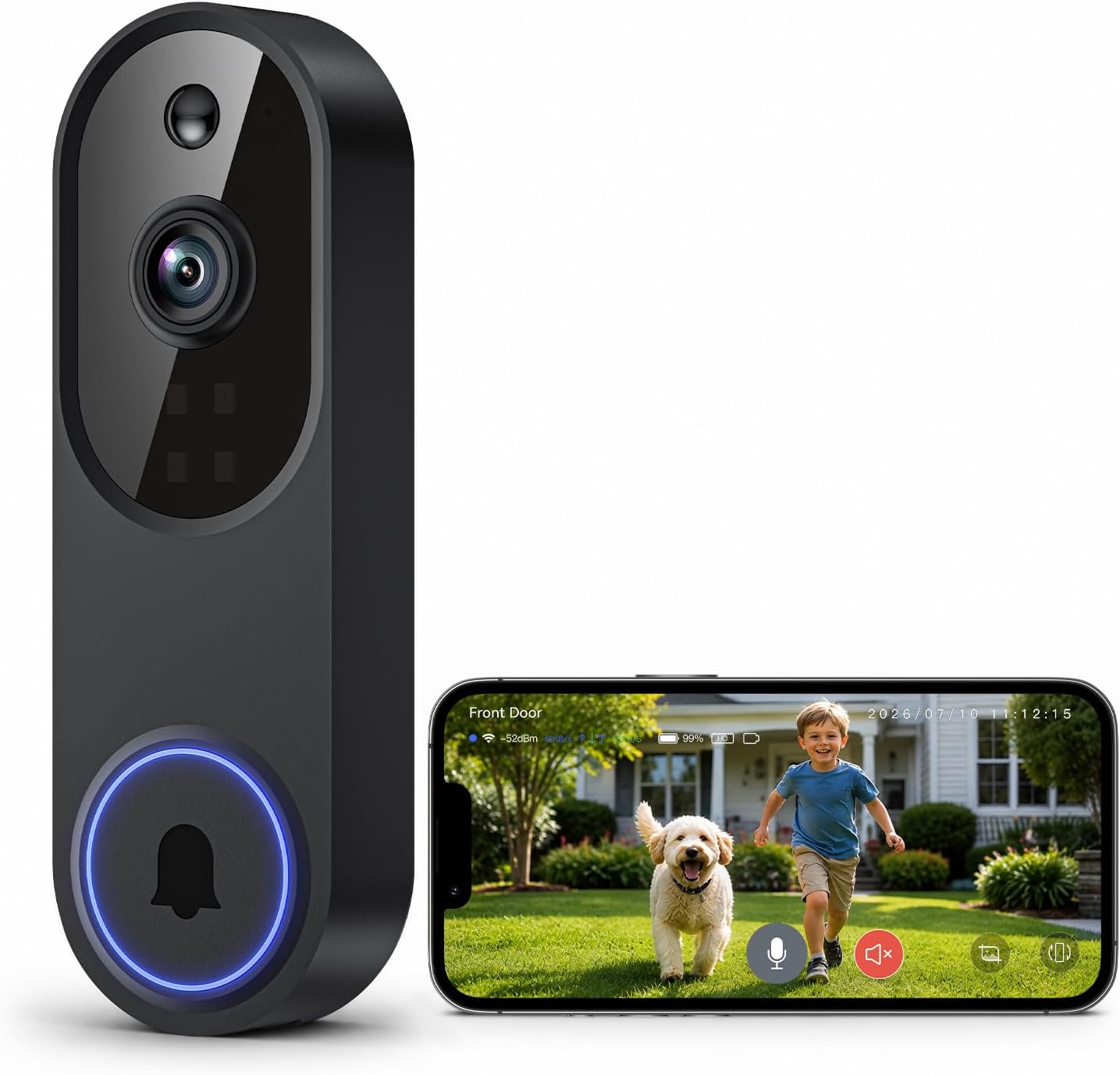
This doorbell camera provides basic front door visibility for homeowners who want simple remote checks without complex setup.
It works well for monitoring package deliveries and spotting people at the entrance. The human detection feature cuts down on unnecessary phone alerts from passing traffic or pets.
The main trade-off here is the required yearly cloud fee for storing video clips. Without it live views remain possible but past recordings are not saved. Battery life also means occasional recharges.
This product suits renters or owners seeking an affordable entry-level option for basic door coverage.
Position the camera at eye level on the door frame for best visitor visibility. This setup captures faces clearly during deliveries or guest arrivals.
Consider these placement tips for real homes:
- Mount on wood doors with included screws for apartments.
- Aim slightly downward to cover porch steps and packages.
- Avoid direct sun to reduce glare on the lens.
- Test the view from the app before final install.
- Keep the unit within Wi-Fi range for steady alerts.
Buying Guide for Best Wireless Doorbell Cameras
A wireless doorbell camera needs to catch important moments without draining its battery or filling your phone with false alerts. The right choice depends on how your entryway is used and what you need to see. These are the practical factors that separate a useful sentry from a frustrating gadget.
Video quality and field of view
Resolution determines whether you can read a package label or recognize a familiar face from the recording. A wider field of view reduces blind spots beside your door, which is crucial for seeing items placed on the ground.
Look for a camera that captures enough detail at your typical viewing distance. For most doorways, this means a balance between sharpness and a broad angle. Compared to standard 1080p models, a 2K wireless doorbell camera holds clearer detail if you need to zoom in later, which helps when reviewing delivery confirmations.
Motion detection and alert accuracy
A camera that alerts you to every passing car or shifting shadow becomes a nuisance you learn to ignore. Smart detection that distinguishes people from other movement keeps notifications relevant and actionable.
The best systems use a combination of sensors and software to filter out common triggers. This is especially valuable for homes near a sidewalk or with pets in the yard. Configurable activity zones let you focus on the porch itself, ignoring the street beyond.
Power source and battery life
Wireless means battery-powered, and battery life dictates how often you think about the device. Real-world endurance varies with how many alerts you get, the local temperature, and the strength of your Wi-Fi signal.
A clear low-battery warning that gives you several days to recharge is more important than a theoretical maximum lifespan. For homes with existing doorbell wiring, some models offer a hybrid option, using wires to keep the battery topped up indefinitely, which is a reliable solution for high-traffic doors.
Storage options and data privacy
How your video is stored affects both cost and control. Cloud subscriptions offer convenient access and often enable advanced features, but they create a recurring fee. Local storage to a microSD card keeps data in your home and eliminates monthly costs.
The choice often comes down to how much history you want and how you plan to review it. For checking yesterday’s delivery, local storage usually suffices. For longer archives or shared access among family, a cloud plan can be worthwhile. Understanding the options for doorbell cameras without subscription helps frame this decision.
Installation and weather resistance
A true wireless camera should mount in minutes with basic tools, needing no electrical knowledge. The bracket should feel secure and allow for easy removal when the battery needs charging.
Since it lives outdoors, a weather-resistant rating is non-negotiable. Look for a design that can handle direct rain, summer heat, and winter cold without the lens fogging or the electronics failing. This durability is what lets the device work through seasonal changes without constant maintenance.
Once you match these factors to your doorstep layout and daily routine, the choice becomes straightforward. The goal is a camera that watches reliably so you do not have to.
Why You Should Trust Us
Our recommendations are based on deep market research and analysis, not hands-on testing. We evaluate each product by cross-referencing manufacturer specifications with independent security and durability certifications, such as those from UL and the ANSI/BHMA grading system for electronic locks and hardware.
We aggregate performance data, professional installer feedback, and verified owner experiences to build a complete picture of real-world reliability. This research feeds into our SHU Score, a proprietary rating that balances security features, everyday usability, and long-term value to identify which products deliver on their promises for most homes.
Final Thoughts
Choosing a wireless doorbell camera comes down to reliable alerts, clear video when you need it, and a power source that fits your home’s traffic. The best model for you will balance these without introducing complexity or hidden costs.
Our Editor’s Pick for the best overall wireless doorbell camera is the Ring Battery Doorbell. It delivers consistent performance, broad vertical coverage to see packages, and a trusted ecosystem that works seamlessly if you expand your smart security system later.
The Best Seller, reflecting widespread user adoption, is the Tapo 2K Wireless Smart Video Doorbell. It stands out for its sharp 2K resolution, person detection without a subscription, and the flexibility of local storage, making it a strong, cost-effective choice for clear identification.
For homes that need a dedicated indoor monitor, the WISDOMVIEW Wireless Smart Video Doorbell System provides a standalone touchscreen, eliminating the need to use a phone for every alert. The right wireless doorbell camera turns your front entry from a blind spot into a documented, manageable space.
FAQs
Can a wireless doorbell camera work without Wi-Fi?
Most wireless doorbell cameras require a Wi-Fi connection to send alerts and live video to your phone. Some systems with a dedicated indoor monitor can communicate directly over a proprietary radio signal for basic doorbell functions, but features like remote viewing and video history typically need Wi-Fi.
How long does the battery last on a wireless doorbell?
Battery life varies from several months to over a year, depending on how often motion triggers recordings and the local climate. A busy household with many daily alerts will need to recharge more frequently than a quiet side door. A reliable low-battery alert provides enough notice to recharge without being locked out of the feed.
Do you need a subscription for a wireless doorbell camera?
No, a subscription is not strictly necessary. Many cameras offer core features like live view, two-way talk, and motion alerts without any monthly fee. Cloud video history and advanced person detection often require a subscription, but local storage to a microSD card provides an alternative for recording events. The choice depends on how much archived video you need to access.
What is the difference between 1080p and 2K video?
2K resolution provides more image detail than standard 1080p HD. This extra clarity makes it easier to identify faces, read package labels, or see finer details when you zoom into a recorded clip. For a typical doorstep view, 1080p is often sufficient, but 2K offers a noticeable improvement for identification at a distance or in lower light.
How do you install a wireless doorbell camera?
Installation is typically straightforward. You mount the bracket to your doorframe or siding using screws, snap the camera into place, and pair it with its app via Bluetooth or Wi-Fi. Since there are no wires to connect, the process usually takes minutes and requires only a screwdriver. Always ensure the mounting surface is clean and solid for a secure fit.


Write Your Review
No reviews yet. Be the first to share your experience!