

Missing a package delivery because you could not hear the doorbell is frustrating, but not knowing who was at your door while you were out is unsettling. A wireless doorbell camera should bridge that gap without locking you into another monthly subscription for basic features like alerts and video playback.
We looked at the Best Wireless Doorbell Cameras Without Subscription to identify models that deliver reliable monitoring, clear video, and smart notifications directly to your phone, all without ongoing fees. Our evaluation focused on how these cameras perform in real entryway scenarios, from spotting a delivery to recognizing a familiar face after dark.
Our overall pick for best wireless doorbell cameras without subscription is the BOIFUN Video Doorbell Camera Wireless – No Subscription Required. It balances a wide field of view with consistent AI detection, giving you a clear picture of porch activity while filtering out common false alerts from passing cars or shifting shadows. Our top picks are just below.
Our Top Picks

Pros
- No subscription needed for alerts and playback.
- Battery supports months of typical daily use.
- Wide angle covers entire porch without gaps.
- Filters out animals and cars from alerts.
Cons
- Works only on 2.4 GHz Wi-Fi networks.
- Needs recharging every few months with heavy use.
- Lacks compatibility with some newer routers.
This wireless doorbell camera delivers solid coverage for everyday front door monitoring without added costs. It gives clear head-to-toe views that help track deliveries and visitors at the porch.
The human detection feature cuts down on unnecessary alerts from passing cars or animals. I find it useful for homes where packages sit outside briefly or kids come and go after school.
Battery operation works well for most setups but means planning for periodic recharges rather than constant power. This setup fits owners who prefer simple wireless installs over wired options.
Position the camera at standard doorbell height on the door frame for best results. This angle captures the full porch including ground level packages and approaching people.
- Avoid direct sunlight on the lens to keep night images clear.
- Place near a 2.4 GHz router for steady alerts in wood or brick homes.
- Test the view on an apartment door versus a house entry to avoid overhangs.
- Angle slightly downward for driveways or side paths if monitoring extends beyond the door.
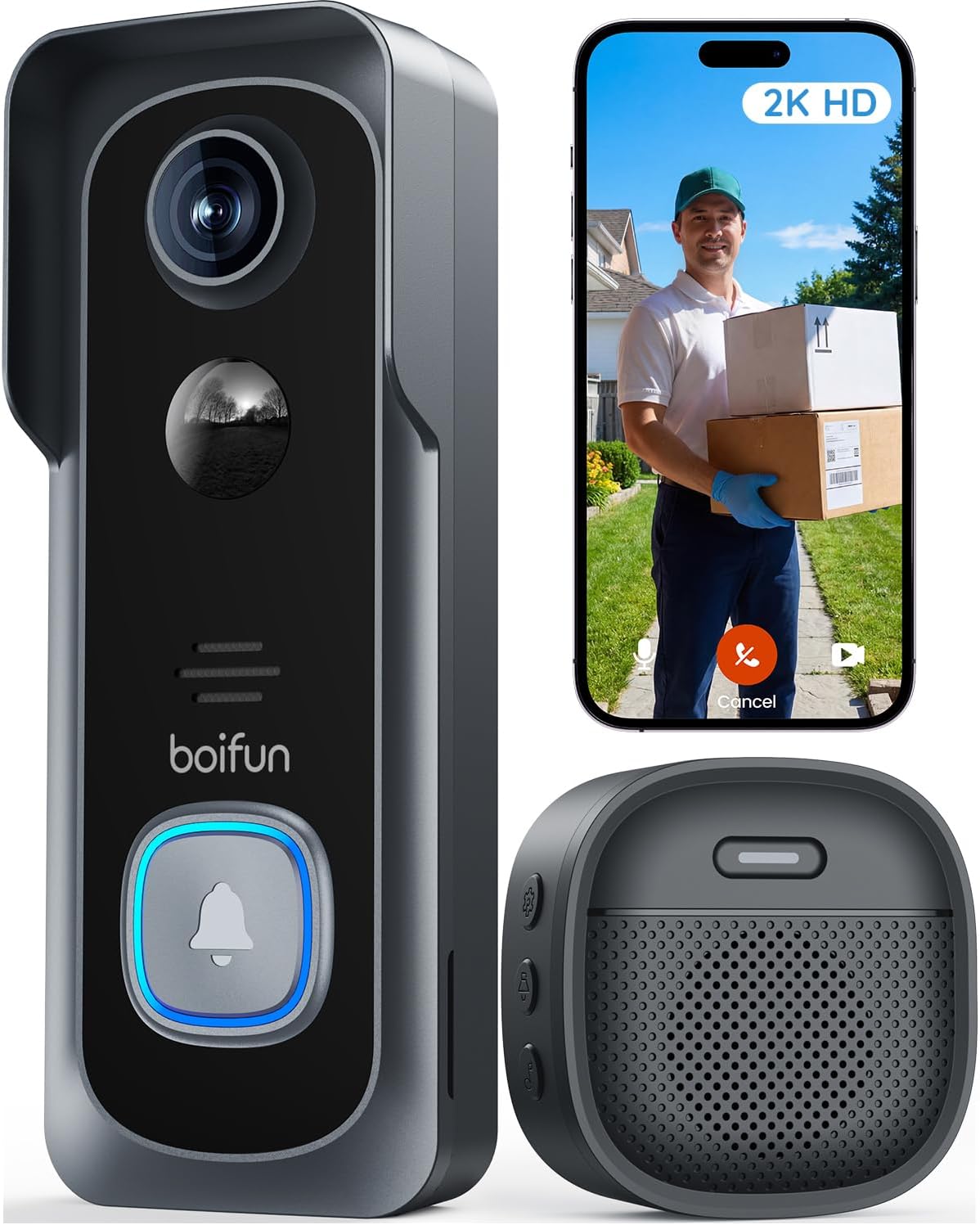
Pros
- No subscription required for alerts and live view.
- Wireless setup works for renters without drilling.
- Battery power avoids running wires to the door.
- Night vision shows clear images after dark.
Cons
- Battery needs recharging every few months.
- Requires separate microSD card for local storage.
- Works only on 2.4 GHz Wi-Fi networks.
This video doorbell provides reliable front door visibility and instant motion alerts without any required fees. I find the wide view covers the porch area well for spotting activity right at the entrance.
It handles common situations like watching for deliveries or checking who rings the bell. The two-way talk feature lets me respond to visitors without opening the door.
Battery life varies with frequent use and may require recharging every couple of months in busy households. This setup suits homeowners or renters seeking basic monitoring without added costs.
Position the camera at eye level on the door frame for best results. This works well on standard wood or metal doors in single family homes.
- Apartment renters can mount it without permanent changes using the included bracket.
- Angle it to cover the full porch and steps where packages land.
- Avoid direct sun or high traffic spots to reduce unnecessary alerts.
- Check the view on your phone during install to confirm coverage of the walkway.

Pros
- Battery lasts months before needing a recharge.
- Wide view shows the full porch area at once.
- Person alerts cut down on random motion notices.
- Works without wiring so it fits any home entry.
Cons
- MicroSD card must be bought separately for storage.
- Battery requires periodic removal for charging.
- Chime unit needs an indoor outlet nearby.
The Tapo D210 provides clear front door visibility for everyday homeowners who want simple monitoring without extra wiring. Its 2K resolution and wide angle help spot packages or visitors right at the porch step.
Person detection focuses alerts on real activity rather than passing cars or animals. The built-in spotlight adds color views at night when motion occurs near the entry.
The main trade-off is the need to recharge the battery every few months depending on use. This can interrupt coverage if forgotten during busy periods.
Local storage via microSD keeps video private without fees. I recommend this for renters or owners seeking basic reliable door coverage.
Position the doorbell at standard height on the door frame for a head-to-toe view of visitors. The included wedge helps angle the lens on homes where the door sits flat against the wall.
- Apartment entries work well with the battery model since no wiring is needed.
- Wood doors accept the mount screws easily without extra tools.
- Avoid direct sun on the camera to prevent glare in daytime footage.
- Test the view from your phone before final mounting to cover the full porch.
- Driveway setups may need the wedge for better side coverage.

Pros
- Live views work free without any subscription
- Battery power avoids wiring for quick installs
- Human detection reduces unnecessary phone alerts
- Strong adhesive holds on various door surfaces
Cons
- Playback requires separate SD card purchase
- No support for 5GHz WiFi networks
- Voice features need phone app to activate
This wireless doorbell camera gives clear front porch views on your phone without ongoing fees for basic use. It handles daily monitoring of deliveries and visitors in a simple way.
The motion alerts focus on people near the door which helps track packages left at the entry. Night images cover the area well for checking activity after dark.
The main trade-off is that longer video clips need an added SD card since only short previews stay free. Setup works best on flat surfaces with the full adhesive backing.
This product fits renters or homeowners who want basic door monitoring without complex wiring.
Place the camera at eye level on the door for best face views during deliveries. This setup covers the immediate porch area in apartments or houses.
- Apartment doors benefit from the adhesive mount without drilling
- Wood frame homes allow easy repositioning if the angle misses side approaches
- Avoid direct sun exposure to keep night images clear
- Test the 2.4GHz signal strength at the door before final install
- Driveway coverage improves with a slight downward tilt

Pros
- No WiFi or app setup required for basic operation.
- Direct monitor connection works during internet outages.
- Simple push-to-talk design suits all ages at home.
- Wide view angle covers the full porch area at once.
Cons
- Monitor needs constant USB power for daily use.
- Signal weakens through walls or metal doors quickly.
- Video recording requires buying a separate SD card.
This doorbell camera gives homeowners a direct way to check the front entrance using a dedicated indoor monitor without apps or internet.
The 170 degree view helps track package deliveries left on the porch and lets residents speak with visitors or family members through the two-way audio. I find the walkie-talkie style button intuitive for quick checks during the day.
The main trade-off here is the monitor stays tied to a power source most of the time. Signal distance drops in homes with thick walls or metal doors.
This setup suits renters or older homes that lack strong WiFi coverage.
Place the doorbell on a wood or vinyl door frame for best signal reach to the indoor monitor. Test the connection at your chosen spot before mounting to avoid weak spots from distance or obstacles.
Front porch setups work well when the monitor sits near a window facing the door. Avoid centering the unit on heavy metal doors since they block the signal.
- Keep the monitor within 10 to 30 feet in typical homes with interior walls.
- Position away from microwaves or routers to prevent interference during use.
- Apartment entries often need the monitor closer to the door than single-family homes.
- Driveway gates may require testing if the door sits more than 50 feet away.
Buying Guide for Best Wireless Doorbell Cameras Without Subscription
A wireless doorbell camera needs to capture what matters at your entrance without demanding constant attention or extra costs. The right choice depends less on a list of technical specs and more on how it handles the daily rhythm of your doorstep. These are the practical factors that determine whether a camera becomes a trusted tool or just another gadget.
Field of view and placement
A wide field of view lets you see packages left at the edge of the step or a person approaching from the side, reducing blind spots that cheaper cameras often miss. The angle should cover from the doormat to about chest height, so you get a head-to-toe view without needing to mount the camera perfectly centered.
Consider where your door sits relative to the walkway. A recessed entry or a door flanked by walls may need a very wide angle, while a front door facing the street might benefit more from a slightly narrower view that focuses on the immediate porch area to avoid constant alerts from sidewalk traffic.
Detection accuracy and alert management
Smart human detection separates a useful security device from a source of constant false alarms. The best models distinguish a person walking up the path from a tree branch moving in the wind or a car driving past at the curb, sending alerts only when it matters.
Look for the ability to set activity zones in the app, so you can ignore motion across the street and focus on your porch. This is especially valuable for homes close to a sidewalk, where every passerby could trigger a notification. Compared to basic motion sensors, this AI filtering is what makes a doorbell camera practical for daily life.
Video quality in all conditions
Resolution matters for identifying faces or reading a package label, but the sensor and lens quality determine how much detail you actually see. A camera with good dynamic range handles the harsh contrast of a sunny porch and a shaded doorway, preventing visitors from appearing as silhouettes.
Night vision should show clear shapes and features, not just murky outlines. Infrared illumination works silently, while some models add a subtle spotlight for color night vision. The latter can be helpful for distinguishing the color of a jacket or a car, but it may be more noticeable to visitors. For general monitoring, reliable infrared coverage is often sufficient.
Battery life and power management
Battery life estimates are based on ideal conditions, but your climate and how many times the doorbell rings each day will determine how often you need to recharge. Cold weather drains batteries faster, and a busy household with frequent deliveries will see more activations.
A clear low-battery warning in the app gives you days to plan a recharge before the camera shuts off. Some models let you adjust motion sensitivity or schedule detection periods to conserve power, which is useful for a vacation home or a side door that sees less traffic. For a primary entrance, prioritize a camera that balances detection readiness with reasonable battery endurance.
Local storage and data privacy
Local storage on a microSD card keeps your video recordings in your control without monthly fees. The camera should overwrite old footage automatically when the card is full, creating a continuous loop of recent events. Look for support for high-endurance cards designed for constant writing, as standard cards can fail quickly under this use.
If you want to review footage from a specific day or save a clip of an event, the app should make browsing and exporting straightforward. Some systems offer optional cloud storage as a backup, but the core functionality of live view, alerts, and recent playback should remain completely subscription-free. This approach aligns with the privacy focus of many doorbell cameras designed for independent operation.
Connectivity and installation
Most wireless doorbell cameras require a 2.4 GHz Wi-Fi network, which typically has better range through walls than 5 GHz. Check that your router’s signal reaches your front door reliably; a weak connection leads to delayed alerts or failed live streams. The installation should be tool-free, using adhesive or a simple mounting bracket.
Consider whether the package includes a wireless chime for indoor alerts, which is essential if you cannot always have your phone handy. A few models operate on a completely independent radio frequency, needing no Wi-Fi at all, which suits remote cabins or situations where internet reliability is a concern. For most homes, a standard Wi-Fi connection provides the right balance of convenience and capability.
Once you weigh the view you need against the alerts you want to receive, the choice becomes clearer. The right camera should fade into the background, working reliably so you can focus on what it shows you, not on managing the device itself.
Why You Should Trust Us
Our recommendations are based on a structured evaluation of manufacturer specifications, independent security certifications, and aggregated performance data. We developed the SHU Score system to rate products across consistent criteria like detection accuracy, video reliability, and ease of use, translating technical details into practical home security value.
We do not conduct physical product testing. Instead, our analysis cross-references verified user experiences, professional installer feedback, and the engineering standards set by organizations like UL and ANSI. This research-focused methodology ensures our guidance remains objective and centered on long-term performance, not promotional claims.
Final Thoughts
Choosing a wireless doorbell camera without a subscription comes down to reliable detection, clear video when you need it, and straightforward local storage. The best models make it easy to see who is at your door while filtering out the everyday motion that causes alert fatigue.
For most homes, the BOIFUN Video Doorbell Camera Wireless – No Subscription Required is our Editor’s Pick. Its balanced wide-angle view and consistent AI person detection provide a clear, usable picture of porch activity with fewer false alarms from non-essential movement, making it a dependable choice for daily monitoring.
If you prioritize maximum field of view, the BOIFUN Video Doorbell Camera Wireless with 180° View stands out as a Best Seller. Its ultra-wide lens minimizes blind spots beside the door, which is particularly useful for corner entries or covering a broad stoop where packages are often left. For situations where Wi-Fi is unavailable or undesirable, a dedicated wireless system with a local monitor offers a completely independent alternative, similar to some specialized models designed for offline use.
The right choice removes the guesswork from what happens at your door, giving you clarity and control without adding another monthly bill to your budget.
FAQs
How do wireless doorbell cameras work without a subscription?
They store video recordings locally on a microSD card installed in the device, allowing you to review footage through the app without paying a monthly fee. Core features like live viewing, motion alerts, and two-way audio function independently, using your home Wi-Fi to communicate directly with your phone.
What is the typical battery life for a wireless doorbell camera?
Most models last between two to four months on a single charge under normal household use, which includes several motion events and doorbell rings per day. Battery life shortens in very cold weather or if the camera is placed in a high-traffic area with constant activity triggering recordings.
Can you still get person detection alerts without a subscription?
Yes, many cameras include basic AI person detection in their standard feature set, sending alerts when a human is recognized while filtering out animals or vehicles. This smart filtering relies on the device’s onboard processing, so it does not require a cloud service or ongoing payment to function.
Do you need a special microSD card for local storage?
Using a high-endurance card designed for continuous video writing is recommended, as standard cards can wear out quickly under the constant recording and overwriting cycle. These specialized cards handle the frequent data writes more reliably, which is crucial for maintaining your video history without corruption.
How does video quality affect identification at the door?
Higher resolution combined with a quality sensor captures finer details like facial features or package labels, making it easier to identify a familiar visitor or document a delivery. Good low-light performance ensures this clarity holds up at night, which is when many porch interactions occur outside of standard daylight hours.


Write Your Review
No reviews yet. Be the first to share your experience!