

Missing a package delivery because your doorbell didn’t trigger a notification is more than an inconvenience. It leaves a gap in your home’s awareness, a moment where something important happens and you are the last to know.
Doorbell cameras that integrate with Home Assistant close that gap by bringing live feeds and alerts into your existing automation dashboard. You can create routines that turn on lights when motion is detected or announce visitors over your smart speakers. We looked at the Best Doorbell Cameras For Home Assistant to find models that deliver reliable video and straightforward local control.
Our overall pick for best doorbell cameras for Home Assistant is the REOLINK Video Doorbell WiFi Camera. It provides a stable wired connection and local storage, which are foundational for a responsive smart home setup. Our top picks are just below.
Our Top Picks

Pros
- Wide angle covers the entire doorway step area.
- Battery power avoids any wiring during setup.
- Person detection cuts down on false motion notices.
- Two-way talk works from anywhere with phone access.
Cons
- Only connects to 2.4 GHz WiFi networks.
- Battery requires recharging every few months.
- Chime unit needs its own indoor placement.
This doorbell camera gives clear full-length views of anyone standing at the front door. The wide angle helps spot packages left on the step without missing details.
I see strong value for monitoring deliveries and basic visitor checks on a porch. Person-focused alerts keep notices limited to real activity rather than every passing shadow.
The main trade-off is the 2.4 GHz WiFi requirement which rules out some newer home networks. Battery recharge cycles also add a recurring task every few months.
This setup suits homeowners or renters with simple front entrances who want wireless monitoring without complex wiring.
Mount height matters most for this camera to capture head-to-toe views at the door. Aim the lens straight at the main approach area on your porch.
- Place at eye level on wood or siding for stable attachment.
- Test the angle to include the full step and any package drop zone.
- Avoid spots with direct sun that could affect night clarity.
- Use the included chime indoors near living areas for better alert reach.
- Check WiFi signal strength before final mounting in apartments or older homes.

Pros
- Shows clear images of the porch area day and night
- Sends alerts only for people to reduce unnecessary notifications
- Allows two-way talk to handle visitors from anywhere
- Stores video locally without ongoing fees
Cons
- Requires existing doorbell wiring for installation
- MicroSD card for storage sold separately
- Chime must be plugged in separately for indoor alerts
This wired 2K doorbell camera gives homeowners a straightforward way to keep an eye on the front entrance and any packages left there.
The wide view angle captures the full porch and steps so you see deliveries arrive and people approach. I like how it focuses alerts on human movement to cut down on alerts from passing cars or animals.
The main trade-off is the need for existing doorbell wiring. Without it you face extra setup work before use.
It works best for houses already wired for a doorbell and owners who want local video storage.
Position the doorbell at standard height on the door frame or siding to capture both faces and ground level packages.
- Place it facing the main walkway to cover visitor approaches and delivery spots
- Angle slightly down on taller doors to include the porch floor area
- Test the view from your phone before final mounting to avoid blind spots
- Consider a wedge mount on recessed entries to widen coverage toward the driveway
- Check nearby walls for clear line of sight in homes with deep overhangs

Pros
- Shows full height of people and packages on the ground
- Reduces alerts from non-human motion
- Holds charge for months without wiring
- Stores video locally without monthly fees
Cons
- Needs separate indoor base unit for best signal
- Requires microSD card purchase for storage
- Battery needs occasional recharging
This battery doorbell shows visitors and packages clearly from the front door area. The wide view captures a person from head to toe along with items left on the ground.
It sends alerts only when people are detected, which helps avoid constant notifications from passing cars or animals near the porch. The included base keeps the connection steady even if the router sits farther away.
The main trade-off is the need to recharge the battery every few months depending on use. Local storage works only after adding a memory card.
This product suits homeowners who want simple front entry monitoring without running wires.
Place the doorbell at standard eye level on the door frame for best results. This position captures both faces and any packages left below.
- Mount on wood or vinyl siding with the included bracket for apartments or rentals.
- Position the indoor base near a window to reach the router in older homes.
- Avoid direct sun on the camera lens to reduce glare during daytime deliveries.
- Test the view angle first to cover the full porch area before final install.

Pros
- No fees for video storage or alerts
- Shows both people and ground packages at once
- Works wired or with removable battery
- Connects to existing home chimes
Cons
- Battery stays installed even in wired setups
- Only works on 2.4 GHz networks
- Does not support Apple HomeKit
The eufy E340 provides solid front door coverage with its dual cameras that capture both head-to-toe views and ground level packages.
This setup helps when deliveries arrive or visitors approach while you are inside or away. Local storage keeps footage on the device without extra costs.
The main trade-off is that the battery must remain in place even when wired to power. It also skips support for certain smart home systems.
I find it works best for homeowners who want simple monitoring without ongoing fees and already use compatible voice assistants.
Position the doorbell at standard height on a door frame or siding for the best visitor and package views. Wood frame homes allow easy screw mounting while brick may need anchors.
Consider these placement factors:
- Angle the unit to cover the full porch area in apartments with limited space.
- Avoid direct sun or overhang shadows that reduce night visibility on new installs.
- Replace an old doorbell by using existing wires for continuous power in older homes.
- Test the field of view before final mounting to catch driveway edges.
Pros
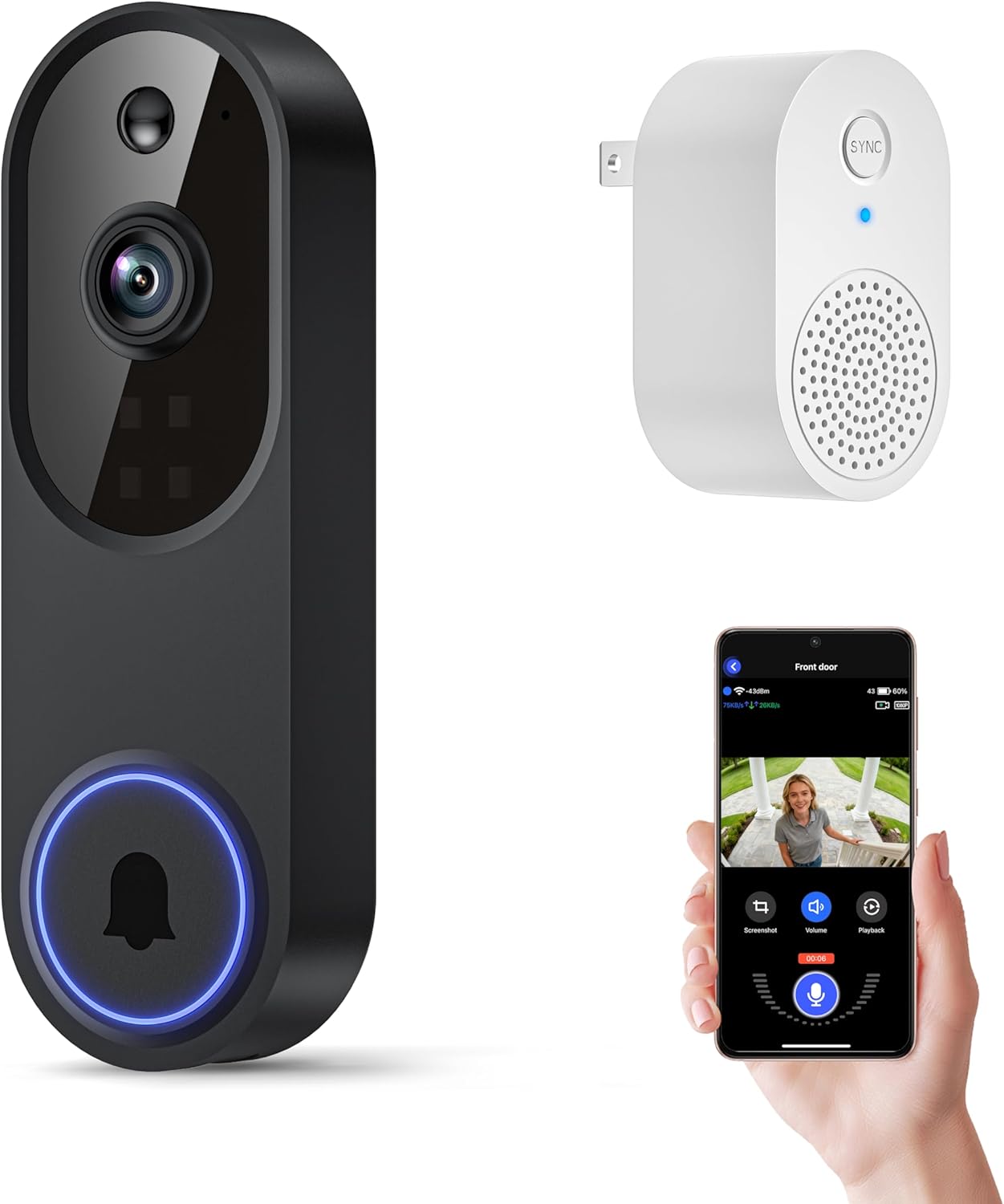
- Sends instant alerts when someone approaches the door.
- Works in darkness with clear night images.
- Allows real-time talk with people at the entrance.
- Holds up in rain and varying temperatures.
Cons
- Needs cloud subscription to store any video.
- Connects only to 2.4GHz Wi-Fi networks.
- Requires recharging before initial setup and later use.
This doorbell camera provides a straightforward way to see activity at your front door from your phone. It sends alerts for motion or button presses so you stay aware without constant checking.
Two-way audio makes it simple to guide delivery drivers or greet family members. The night vision keeps the view clear even after dark on your porch.
Worth noting before buying: this unit requires a paid cloud plan for any video storage and works only on 2.4GHz networks. Placement must stay within range of your router for steady connections.
It suits renters or homeowners who want basic door monitoring without complex wiring.
Position the camera at eye level on your door frame for the best view of visitors and packages. In apartments this often means mounting on the exterior wall near the entrance.
Keep it under 33 feet from the router to avoid signal drops. For wood-frame homes test the spot first before final install.
- Angle slightly downward to cover the doorstep area.
- Avoid direct sun that could wash out daytime images.
- Check for overhangs that block rain protection.
- Ensure the button sits at a comfortable reach for all ages.
Pros
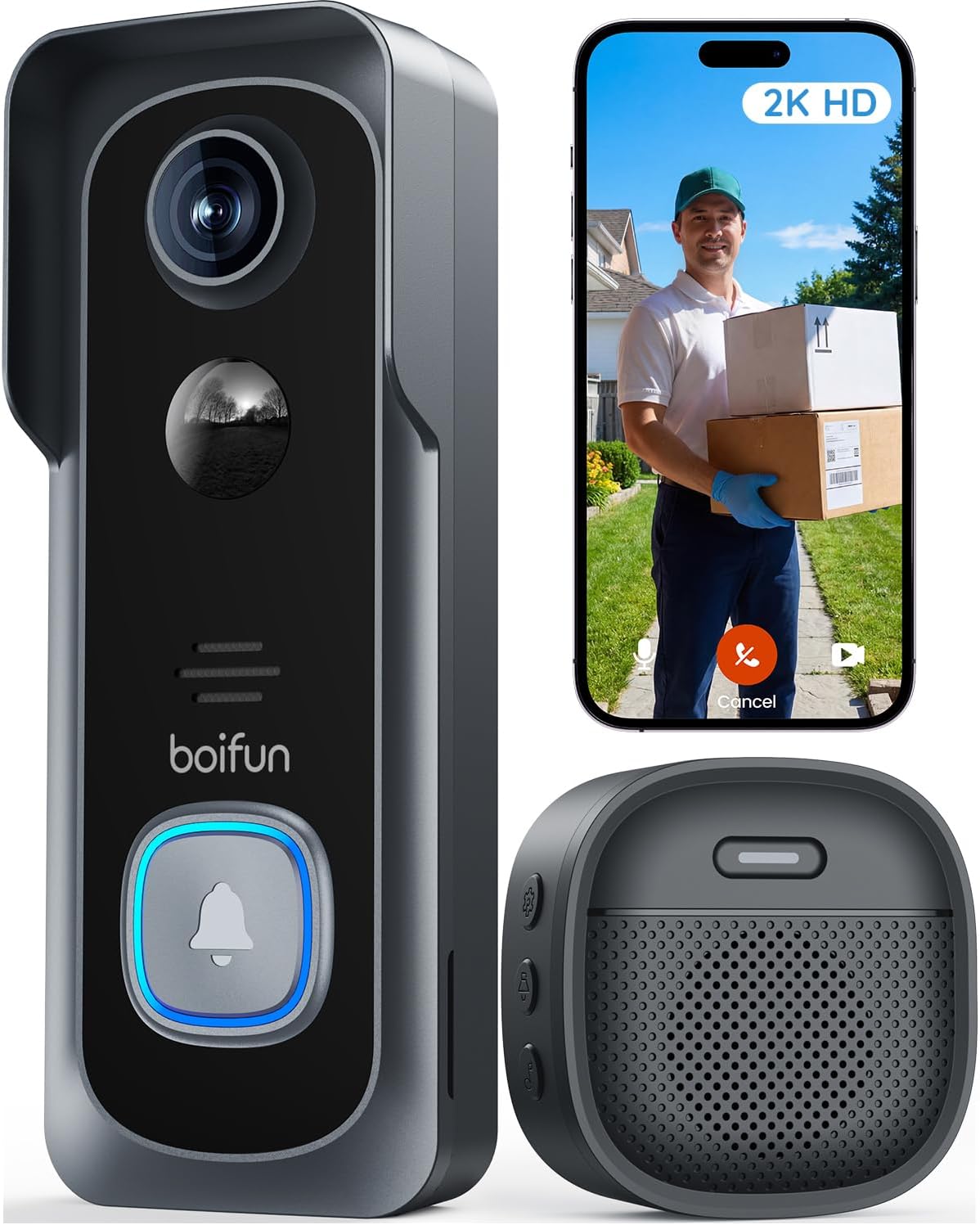
- No subscription required for alerts and live view.
- Wireless setup works for renters without drilling.
- Battery power avoids running wires to the door.
- Night vision shows clear images after dark.
Cons
- Battery needs recharging every few months.
- Requires separate microSD card for local storage.
- Works only on 2.4 GHz Wi-Fi networks.
This video doorbell provides reliable front door visibility and instant motion alerts without any required fees. I find the wide view covers the porch area well for spotting activity right at the entrance.
It handles common situations like watching for deliveries or checking who rings the bell. The two-way talk feature lets me respond to visitors without opening the door.
Battery life varies with frequent use and may require recharging every couple of months in busy households. This setup suits homeowners or renters seeking basic monitoring without added costs.
Position the camera at eye level on the door frame for best results. This works well on standard wood or metal doors in single family homes.
- Apartment renters can mount it without permanent changes using the included bracket.
- Angle it to cover the full porch and steps where packages land.
- Avoid direct sun or high traffic spots to reduce unnecessary alerts.
- Check the view on your phone during install to confirm coverage of the walkway.
Buying Guide for Best Doorbell Cameras For Home Assistant
A doorbell camera for Home Assistant has to do two things well: capture a clear, reliable video stream and hand that data off to your system without fuss. The right choice depends on how your home is wired, your network, and what you want your automations to do. Here is what to weigh before you buy.
Integration method and local control
Not all doorbell cameras work with Home Assistant the same way. Some rely on a manufacturer’s cloud, which can introduce lag or stop working if the service changes. Others offer local API access or support for open protocols, giving you direct control.
Look for models with documented local streaming, like RTSP or ONVIF, as these feed video directly into your network without a detour. This is crucial for automations that need to react instantly, like turning on a porch light the moment someone steps into view.
Power source and installation
Your wiring dictates your options. A wired doorbell draws power from your existing doorbell transformer, offering a constant feed that never needs a battery swap. This is the most reliable path for continuous recording and instant alerts.
Battery-powered models offer flexibility for rentals or homes without doorbell wiring, but you trade some immediacy for convenience. They wake up to record, which can mean a slight delay. Consider your willingness to recharge a unit every few months against the cost and mess of running new wires.
Video quality and field of view
Resolution matters less than the lens shape and sensor quality. A tall, 4:3 or 9:16 aspect ratio shows a person from head to toe, which is more useful for identifying visitors than a wide, short view that only captures torsos. This vertical perspective is ideal for seeing packages on the ground.
Clarity in low light is more important than megapixels in daylight. Look for cameras with good HDR or color night vision to handle the harsh shadows of a porch light or the deep dark of a rural driveway. Compared to standard 1080p doorbell cameras, a 2K sensor holds more detail at a distance, useful for reading a license plate at the curb.
Network compatibility and stability
Most smart doorbells require a 2.4GHz Wi-Fi network. If your router is far from your front door or behind several walls, the signal may struggle. Some models include a Wi-Fi repeater or base station to bridge this gap, which can prevent the video stream from dropping during a critical moment.
A few support 5GHz networks for faster data transfer, but 2.4GHz often has better range through walls. Check your router’s capabilities and the camera’s requirements. A stable stream to Home Assistant is worthless if the camera keeps disconnecting from your network.
Storage and data privacy
Where video is stored decides who controls it. Local storage, like a microSD card or a network-attached storage device, keeps footage in your home and accessible to Home Assistant without monthly fees. It also works during internet outages.
Cloud storage can be convenient for remote playback but often requires a subscription and sends your data off-site. For a Home Assistant setup focused on local control, a camera that records to a local drive aligns with the goal of reducing external dependencies. You can learn more about balancing these options in our guide to doorbell cameras without subscriptions.
Smart detection and alerts
Basic motion sensors trigger on every passing car or swaying tree branch. Smarter AI person detection filters out those false alerts, so Home Assistant only notifies you when a person approaches. This precision keeps your automation rules from firing constantly.
Some models add package detection, which can trigger a specific alert or automation when a delivery is left at your door. Consider whether you want this logic handled by the camera itself or prefer to send all video to Home Assistant and use its more advanced AI tools for analysis.
Once you match a camera’s power needs, network stability, and data handling to your home’s layout and your automation goals, the choice becomes clear. The right model should feel like a natural extension of your system, not a separate appliance you have to check.
Why You Should Trust Us
Our recommendations are based on deep market research and analysis, not hands-on testing. We evaluate doorbell cameras by cross-referencing manufacturer specifications with independent security certifications, examining integration documentation for platforms like Home Assistant, and analyzing user-reported reliability data. Each product is assessed against a consistent set of criteria for our SHU Score, which weighs factors critical for smart home integration, such as local API support, network stability, and data privacy controls.
Final Thoughts
Choosing a doorbell camera for Home Assistant comes down to reliable video, local control, and seamless integration. The best option connects without hassle and feeds clean data into your automations.
For most homes, the REOLINK Video Doorbell WiFi Camera is our Editor’s Pick. Its wired power ensures it is always on and ready, while support for local streaming gives you direct access to the video feed for responsive automations, making it a dependable cornerstone for a smart entryway.
The eufy Security Video Doorbell E340 stands as the Best Seller for good reason. Its dual cameras provide a complete view of people and packages, and the built-in local storage with no subscription fees aligns perfectly with the DIY, privacy-focused ethos of many Home Assistant users. It is a balanced choice that avoids ongoing costs.
For those prioritizing deep integration, exploring other smart security devices that work with Matter or local protocols can build a more cohesive and responsive system. The right doorbell camera removes the guesswork from your doorstep, turning a simple ring into a known event your whole home can acknowledge.
FAQs
Do doorbell cameras work without a subscription?
Many doorbell cameras function fully without a monthly fee by storing video locally on a microSD card or network drive. You lose cloud-based features like advanced AI event timelines, but live view, recording, and basic alerts remain active. This local approach is often preferred for Home Assistant setups.
Can you use a battery doorbell camera with Home Assistant?
Battery-powered models can work with Home Assistant if they offer a local API or RTSP stream, but they may have slower response times. To save battery, the camera sleeps and wakes up when it detects motion, which can add a second or two of delay before the video feed becomes available to your automations.
What is the advantage of a wired doorbell for smart home use?
A wired doorbell provides constant power, allowing for 24/7 recording and instantaneous alerts without battery-saving sleep cycles. This constant connection means Home Assistant can access the live video stream at any moment, making it more reliable for time-sensitive automations like turning on a light the instant motion is detected.
How do I get a doorbell camera feed into Home Assistant?
Most integrations use a camera entity that pulls a video stream via a local network protocol like RTSP or via a manufacturer’s cloud API. The local method is more reliable and private. You will need the camera’s local IP address and stream URL, which you then add through a Home Assistant integration like Generic Camera or a dedicated add-on for the brand.
Is 2.4GHz Wi-Fi sufficient for a video doorbell?
For most installations, a strong 2.4GHz signal is perfectly adequate for streaming video from a doorbell. This band has better range and wall penetration than 5GHz, which is important for a device mounted on an exterior door far from your router. Stability matters more than raw speed for this application.




Write Your Review
No reviews yet. Be the first to share your experience!