

Not every smart lock plays well with every smart home platform, and finding out after installation that your new lock requires a separate hub or a subscription to work with your existing setup is a frustrating way to spend a Saturday afternoon.
Matter smart locks solve that by speaking a common language that works across Google Home, Apple Home, Amazon Alexa, and more without bridges or workarounds. We went through the current options on best Matter smart locks to find ones that connect reliably and hold up to everyday use.
If you want one recommendation for best Matter smart locks, go with the Yale Deadbolt with Google Home. It integrates natively with your smart home platform so you get front door access control without juggling extra apps or hubs. Browse our full list below to see which one works best for your situation.
Our Top Picks
Pros
- Fingerprint reader works fast and stores many prints for multiple household members.
- Long battery life means fewer changes, keeping the lock reliable year-round.
- Fits standard doors and installs easily without tools beyond a screwdriver.
- Works with common smart home systems for remote control from anywhere.
- Weatherproof build holds up on exterior doors in rain or cold.
Cons
- Auto-lock relies on a timer, not a door sensor, so it may not relock if the door stays open.
- Batteries not included, so you need to buy four AA batteries right away.
- Matter mode requires a separate compatible hub for full smart home integration.
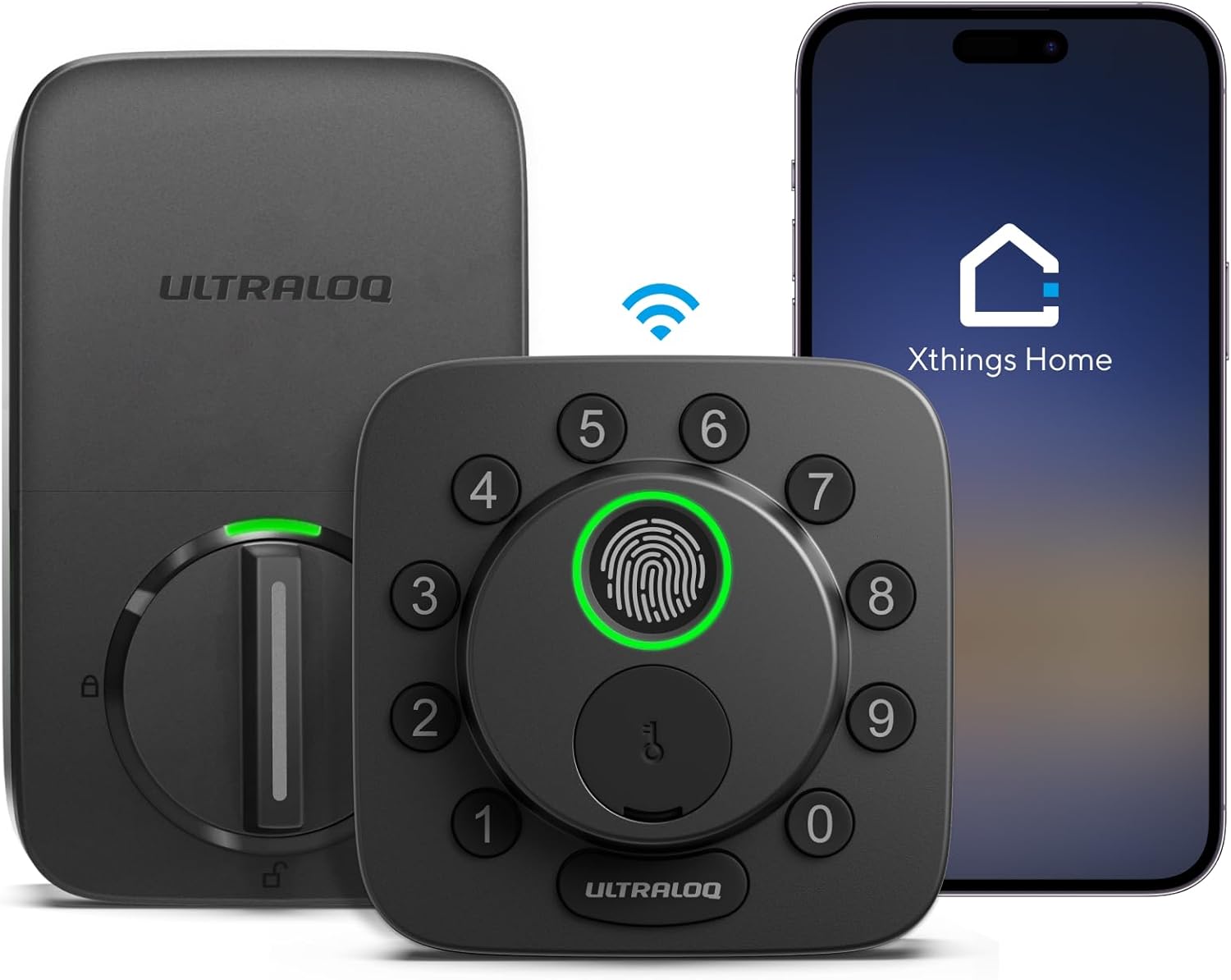
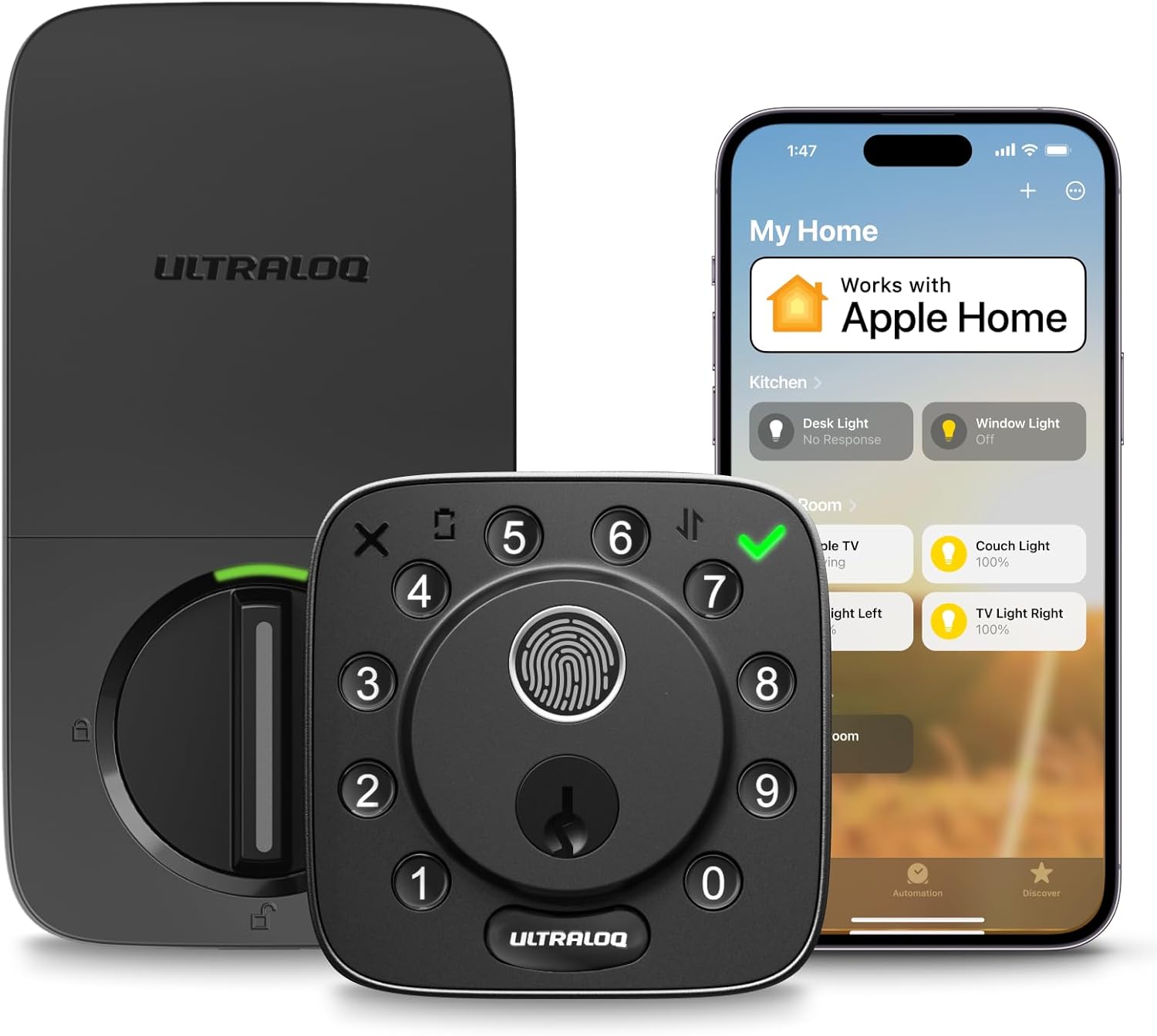
This deadbolt replaces your standard front door lock with options to enter using a finger scan, phone app, keypad code, voice from a smart speaker, or a backup key. For everyday homeowners, it simplifies coming home with arms full of groceries or packages by letting you tap your finger to unlock instead of fumbling for keys. The remote app control means you can let in a repair person or check if the door is secure while at work, reducing worry about forgotten locks.
Access sharing stands out for families or frequent visitors. Set codes that expire after a delivery window or guest stay, so you track who enters without handing out permanent keys. The auto-lock timer adds a layer of protection by securing the door shortly after you walk inside, ideal for keeping pets or kids safe without constant checking. Battery lasts up to 18 months on just four AAs, minimizing maintenance on your busiest exterior door.
Built tough with weather resistance, it handles rain and temperature swings on porches or gates. Data stays secure on the device itself, giving peace of mind that entry records aren't exposed online. While it integrates with smart home setups, the straightforward fingerprint and keypad make it reliable even if tech glitches, ensuring your home stays protected in real daily scenarios.
Overall, this lock fits renters or owners wanting keyless convenience without complexity, directly addressing front door vulnerabilities like lost keys or unauthorized entry during the day.
Installs on most standard exterior doors in about 10 minutes using only a screwdriver. No wiring or drilling into the wall needed, making it renter-friendly if your lease allows deadbolt changes.
- Check your door thickness (fits 1-3/8 to 1-3/4 inches standard).
- Requires a single-bore hole already in place from an existing deadbolt.
- Press any front button to activate Bluetooth for initial setup within 30 seconds.
- Four AA batteries needed (not included); insert before starting.
- Backup keys provided for emergencies if power fails.
Follow the included step-by-step guide for a secure fit that meets building standards.
Connects directly via built-in Wi-Fi for remote control without extra hubs, or switch to Matter mode for broader smart home linking. Use the app to lock/unlock from anywhere, view entry logs, and get alerts.
- Wi-Fi mode: Needs 2.4GHz home network within 70 feet; control via U-tec app for iOS/Android.
- Matter mode: Pairs with Apple Home, Google, Alexa using a Thread-compatible hub like a smart speaker.
- Share eKeys or codes for family, guests, or services with time limits.
- Works with voice assistants for hands-free entry when carrying deliveries.
- Web portal option for computer-based management.
Switch modes easily in the app after Bluetooth pairing; real-time notifications keep you informed on door activity.

Pros
- Replaces existing deadbolts on most doors easily
- Works with Google Home for voice lock commands
- Offers code, app, and key backup access options
- Fingerprint resistant keypad stays clean daily
Cons
- Remote access requires a separate Matter hub
- Limited to 2.4 GHz networks only
- Battery changes needed every few months
This Yale deadbolt delivers reliable keyless entry for standard front doors in homes with Google setups. It supports remote checks and code sharing without needing physical keys on hand.
The integration lets you confirm door status during package arrivals or when kids return alone. Voice commands via Google Assistant handle locks when carrying items inside.
The main trade-off here is the need for a Matter hub to enable full remote use beyond the home network. Local codes still function without it.
It fits best for homeowners already using Google devices who want simple daily access management.
Measure your current deadbolt hole before buying. Most standard U.S. doors fit without extra work, but smaller 1.5 inch bores need the included adapter.
- Replace an old deadbolt by removing two screws and sliding in the new unit.
- Wood frame doors install the same as metal ones with basic tools.
- New installs require drilling a deadbolt hole if none exists.
- Align the latch properly to avoid binding on the strike plate.
- Apartment renters should check lease rules before swapping hardware.

Pros
- Multiple unlock methods cover common situations like wet hands or gloves at the door.
- Rechargeable battery supports long-term use without frequent replacements.
- Auto-lock feature helps secure the home after entry or exit.
- Works with existing Apple devices for hands-free access in daily routines.
Cons
- UWB and remote features require a compatible Apple hub and specific devices.
- Fingerprint recognition may struggle with faint prints from children or elderly users.
- Basic functions only available via Bluetooth without a Matter controller.
The Aqara U400 provides a deadbolt option for the front door that unlocks as you approach with supported Apple devices. This setup helps when carrying groceries or managing children, allowing entry without pausing to handle keys or phones.
Family access works through shared options that let multiple people use the door without extra physical keys. It supports scenarios like visitors arriving for short periods or service workers needing timed entry at the main entrance.
Backup methods such as codes or fingerprint add reliability for situations where the primary approach is not available. The rechargeable battery reduces interruptions at outdoor doors exposed to daily use.
Auto-lock activates after closing to maintain security around the property, including side or rear entries. This keeps the focus on consistent protection without constant manual checks.
This lock fits standard deadbolt doors but requires checking door thickness and alignment first. A Thread-enabled Apple hub is necessary for full UWB and remote features during setup.
- Place the hub within range of the door for stable connection.
- Ensure the door frame allows proper deadbolt extension for security.
- Test basic Bluetooth pairing in the app before adding advanced options.
The Aqara app handles basic setup and code management over Bluetooth when no hub is present. Full features like remote access need a compatible Matter controller on the network.
- Enable IPv6 on the home Wi-Fi for stable linking.
- Keep the phone near the lock during initial pairing steps.
- Use the app to create timed codes for visitors or deliveries.

Pros
- Fits entirely inside the door to maintain a standard look on both sides of the entry
- Detects open doors without extra magnets or parts stuck to the frame
- Installs with basic tools on most common U.S. doors in under an hour
- Supports multiple unlock methods including phones and fobs for flexible household use
Cons
- Remote features need an extra hub or bridge that adds cost and setup steps
- Only works on doors between 1.75 and 2 inches thick
- Full smart home connections depend on compatible Thread routers already in the home
The Level Lock Pro fits inside a standard door to secure the main entry without changing its appearance. Homeowners gain the ability to check and control the front door from anywhere when paired with a compatible hub.
This setup works well for monitoring deliveries left on the porch by confirming the door stays locked after carriers arrive. Families can grant temporary access to caregivers or kids returning from school without physical keys.
Door status alerts help confirm the entry is secure at night before bed. The design supports everyday use on front and side doors while avoiding bulky add-ons that stand out.
Overall it provides reliable physical locking for typical home situations with straightforward phone control when the network is set up.
This lock replaces an existing deadbolt on doors 1.75 to 2 inches thick using only a screwdriver.
- Measure the current deadbolt hole spacing before purchase to confirm fit.
- Standard strike plates are included while longer versions require a separate purchase.
- No wiring or drilling is needed so renters can install and remove it without wall changes.
Basic lock and unlock works over Bluetooth when near the door.
- Full remote access needs a Matter hub or separate Wi-Fi bridge for control from anywhere.
- Activity logs show door use to track when family members come and go.
- Guest access can be shared through the app for temporary visitors without extra hardware.

Pros
- Keeps original keys and door hardware unchanged
- Installs with one screwdriver on standard doors
- Supports multiple voice assistants without extra hubs in some setups
- Provides activity history to track entries
Cons
- Requires compatible Matter hub for full remote access
- Only works on doors with specific deadbolt dimensions
- No built-in keypad option included
The Level Bolt adds smart control to your existing deadbolt. It turns a standard lock into one you can manage from your phone or with voice commands.
This setup works well for watching front door activity during package deliveries. You can also share access with family members who need to enter for kids or pets without handing over physical keys.
Worth noting before buying is the need for a compatible hub to enable remote locking from anywhere. Doors that do not match standard sizes may require extra checks first.
I recommend this for homeowners with compatible doors who want basic smart features while keeping their current keys and look.
Measure your current deadbolt before purchase to confirm fit on standard 1.75 inch doors. Many wood frame homes allow direct replacement without changes to the exterior.
Check door thickness and backset first since this unit replaces only the inner hardware. Apartment renters should verify lease rules on modifications.
- Use the included screwdriver for a 15 minute swap on matching locks
- No drilling needed but confirm compatibility in the product guides
- Pair with a Thread border router after install for full smart features
- Works on most American exterior doors but test on metal frames separately

Pros
- Long battery life up to 14 months reduces maintenance for busy homeowners.
- Multiple entry methods including fingerprint, code, app, and key cover various family needs.
- Built-in WiFi enables remote monitoring and control without extra hardware.
- Works with major smart home systems for automated routines like lights with entry.
Cons
- Requires a Matter-compatible hub for integration with Apple Home, Alexa, or Google.
- Emergency USB power only unlocks the door, does not recharge the battery.
- Limited to doors meeting specific thickness and hole size requirements.
For front door security, the eufy Smart Lock E31 replaces traditional deadbolts with fingerprint recognition that unlocks in under a second, making it practical for daily entries when carrying packages or herding kids inside. This keyless design eliminates lost keys and provides quick access while the auto-lock feature ensures the door secures itself shortly after closing, adding peace of mind if someone forgets.
Remote control through the app lets homeowners monitor door activity from anywhere, such as checking if a delivery person approached while you're at work. Integration with smart home setups allows voice commands for locking or unlocking, streamlining routines like arming the house when leaving. The rechargeable battery lasts up to 14 months with normal use, sending low-power alerts well in advance to avoid lockouts.
Family access is straightforward with up to 50 fingerprints and 100 codes, ideal for assigning unique entries to teens or visitors without compromising security. Real-time notifications alert you to any unauthorized attempts, helping protect against break-ins. Installation fits standard doors in about 15 minutes, suiting renters or owners upgrading without major changes.
Weatherproofing handles outdoor exposure on front doors, maintaining reliability through rain or cold. While it needs a hub for full voice control, the built-in WiFi handles direct app management effectively for most daily needs.
This deadbolt fits most standard U.S. front doors made of wood or metal. Check your door measurements first to ensure compatibility.
- Crossbore hole: 1-1/2 inch or 2-1/8 inch diameter.
- Backset: 2-3/8 inch or 2-3/4 inch.
- Edge bore: 1 inch diameter hole.
- Door thickness: 1-3/8 to 2-1/6 inches.
- Handle distance from door edge over 1-4/5 inches.
Setup takes about 15 minutes with basic tools, no drilling needed for standard setups. Replace your existing deadbolt directly.
The app provides direct control over locking, unlocking, and activity logs via built-in WiFi. Use it to manage access for front door security from your phone.
- Remote unlock for deliveries or family when you're out.
- Set temporary codes for guests, up to 100 stored.
- Real-time notifications for door opens or low battery.
- Auto-lock timers to secure after entry.
For voice control with Siri, Alexa, or Google, connect via a Matter hub. Direct app works without it for core functions.
Buying Guide for Best Matter Smart Locks
Choosing a Matter smart lock is as much about your existing smart home setup as it is about the lock itself. The Matter standard narrows the compatibility gap, but build quality, access options, and app experience still vary enough to matter. Here are the key things worth checking before you buy.
Platform Compatibility Depth
Matter promises universal compatibility, but not every lock exposes all its features across every platform. Some functions, like access scheduling or activity logs, may only be available through the lock’s own app rather than Google Home or Apple Home.
Check which features are accessible natively in your platform before buying. If your home runs on Apple devices, HomeKit-certified smart locks with Matter support tend to offer the deepest native integration with the Home app.
Physical Lock Quality
A well-connected lock on a weak deadbolt is still a security gap. Matter handles the software side, but the physical bolt grade, door strike, and housing material determine how well the lock resists forced entry.
Look for ANSI Grade 1 or Grade 2 certification on the deadbolt itself. For options that combine strong hardware with keypad entry, keypad smart locks give you a PIN backup that works even when your network goes down.
Access Management and Sharing
Temporary access for a dog walker or a contractor is one of the most practical things a smart lock can do, but the experience varies widely between brands. Some Matter locks handle guest codes through the manufacturer app rather than the platform, which adds steps.
Look for a lock that lets you create and revoke time-limited codes without leaving your primary smart home app. Households managing multiple entry points may also want to consider interconnected smart lock options that tie front and secondary doors into one access system.
Battery Life and Low-Power Alerts
A Matter lock that polls your network constantly for status updates can drain batteries faster than a comparable non-smart deadbolt. Cold weather accelerates this further, and a lock that dies quietly is a real inconvenience.
Check the rated battery life and whether the lock sends a low-battery alert to your smart home platform rather than only the manufacturer app. For households that dislike frequent battery changes, locks built for extended battery life are worth comparing directly.
Once you know which platform you are building around and how much access management you actually need, the right Matter lock tends to separate itself from the rest of the list on its own.
Why You Should Trust Us
Our team at Safe Home Upgrade builds each review from manufacturer specifications, certification records, and aggregated user data across multiple sources. The SHU Score weighs build quality, safety certifications such as BHMA and ANSI, and practical usability factors without physical product handling.
We cross-reference independent test reports and focus on how features translate to real door conditions rather than isolated lab claims. This approach keeps recommendations grounded in verifiable details available to any homeowner researching options.
Final Thoughts
Picking the right Matter lock comes down to which platform you are already running and how much access management you need day to day. If your setup is straightforward, most options here will connect cleanly and stay connected.
The Yale Deadbolt with Google Home suits anyone building around Google Home or wanting a lock that works across multiple platforms from the start. Native Matter support means the setup is a one-time job and the connection holds reliably after that.
FAQs
Can matter smart locks work without a hub?
Local Bluetooth control functions on most models without a hub for basic lock and unlock actions. Remote access requires a compatible Matter border router or Thread device to reach the lock from outside the home network.
Do you need to replace the entire deadbolt when adding matter features?
Some models fit inside existing hardware while others replace the full deadbolt assembly. Confirm door bore measurements first to decide which style matches your current setup.
How do battery alerts work on these locks during winter months?
Alerts trigger at set thresholds such as twenty percent remaining and give advance notice before power drops too low. Cold temperatures shorten run time, so check the listed estimates against your climate when planning replacements.
Is it better to choose fingerprint or keypad entry for family use?
Fingerprint readers speed entry for frequent users while keypads allow code sharing without phone access. Many households keep both options active and limit stored prints to household members only.
What happens to access codes if the lock loses power temporarily?
Stored codes remain available once power returns because memory persists without constant battery draw. Physical keys provide immediate entry during any outage until batteries are swapped.

Write Your Review
No reviews yet. Be the first to share your experience!