

Missing the doorbell because your phone is in another room or on silent defeats the purpose of having a video doorbell in the first place. You install it to know when someone is there, not to find a missed notification an hour later.
A dedicated chime closes that gap by giving you an immediate, audible signal inside your home that works independently of your phone. We looked at the Best Chimes For Blink Doorbell to find models that pair reliably with your Blink system and deliver alerts you can actually hear.
Our overall pick for best chimes for Blink doorbell is the Blink Chime. It offers seamless integration with the Blink app and straightforward plug-in installation, providing the reliable core notification your system needs without extra complexity. Our top picks are just below.
Our Top Picks

Pros
- Plugs into any standard outlet for fast setup
- Works with existing Blink doorbells for consistent alerts
- Slim design fits home interiors without taking space
- Provides indoor sound when phone is out of reach
Cons
- Requires a Blink doorbell system to operate
- Volume cannot be adjusted through the app
- Depends on a nearby outlet for placement
The Blink Chime adds an indoor audible alert to any Blink doorbell setup. It plugs into a standard outlet and notifies you when someone approaches or rings the bell.
I find it useful for hearing package deliveries at the front door while working in the backyard or upstairs. The slim profile fits well in living areas without standing out.
Worth noting before buying, it depends on a nearby power outlet which can restrict where you position it in larger homes. It also does not allow volume adjustments.
Homeowners with Blink doorbells who need simple alerts away from their phones will benefit most from this addition.
Place the chime in a central room to reach the most areas of your home. This works best in single-story houses where sound travels easily between the kitchen and living spaces.
- Front door monitoring improves when the chime sits near main living areas rather than tucked in a corner.
- Apartment setups benefit from outlet placement in hallways for better coverage across rooms.
- Wood-frame homes allow sound to carry farther compared to concrete walls.
- Multiple floors may need the chime on the main level to catch alerts from upstairs or downstairs.
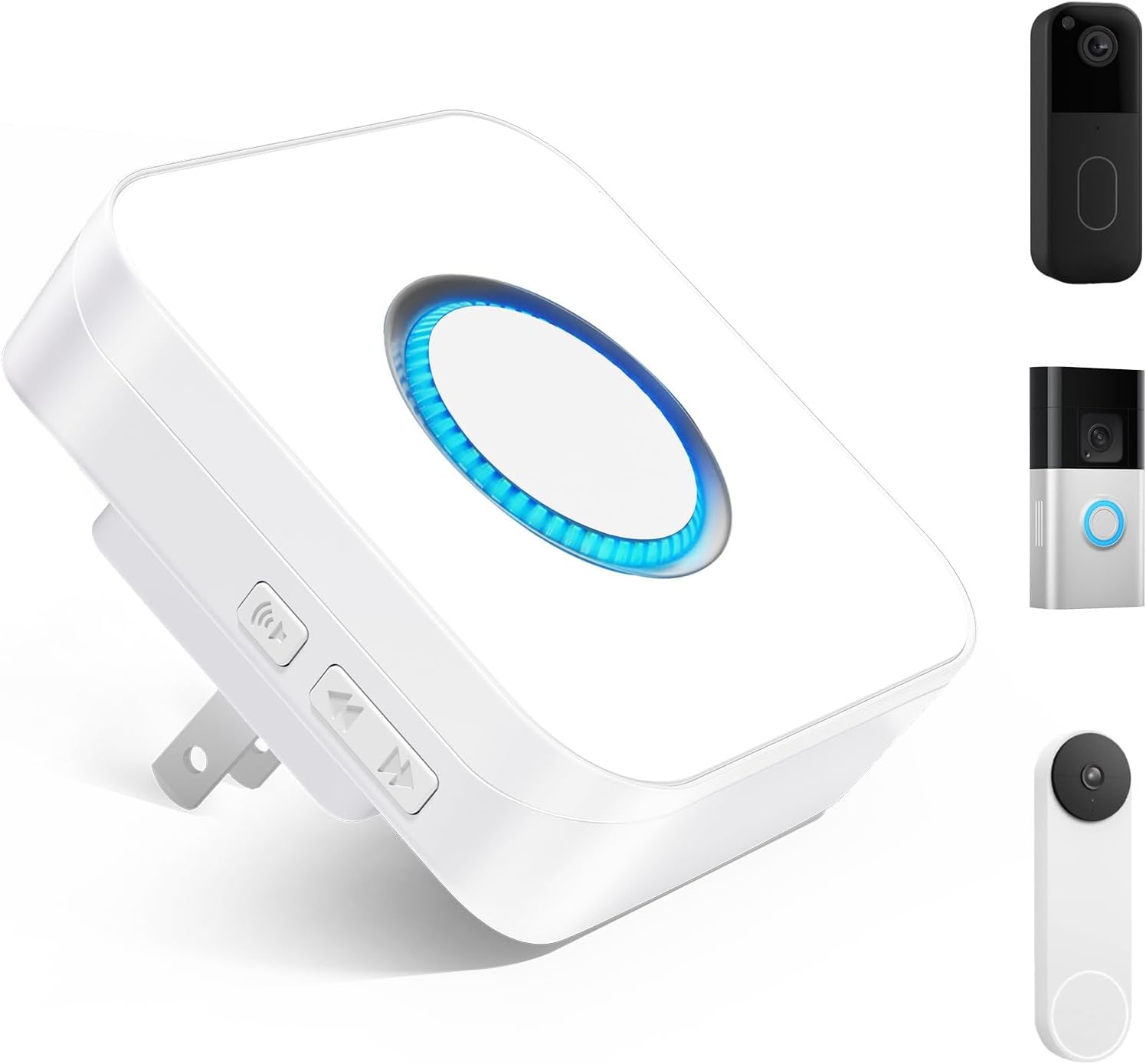
Pros
- Plugs into outlets for setup in any room quickly.
- Supports multiple chime tones for quiet or busy periods.
- Connects to existing video doorbells without new hardware.
- Reaches distant rooms through home WiFi network.
Cons
- Depends on stable WiFi that can fail during outages.
- Basic pack includes only one unit for coverage.
- Requires app configuration before first use.
The Seektain chime extends alerts from compatible video doorbells across the home through simple outlet placement. It delivers audio and visual signals in areas far from the front door.
This setup works well for monitoring packages on the porch while busy in the kitchen or garage. Multiple chime selections allow adjustments for daytime activity or quieter evening hours.
The main trade-off is its reliance on a consistent WiFi signal that may drop in some homes. It also needs initial app pairing to link with your doorbell system.
I recommend this for homeowners who already use Ring Blink or Nest models and want basic whole-house reach without wiring changes.
Setup starts by plugging the unit into a standard wall outlet near a power source. No drilling or wiring is needed for basic function in apartments or rentals.
- Connect to home WiFi through the SmartLife app or compatible doorbell app.
- Position near the center of the house for better signal reach to all rooms.
- Test chime volume and LED flash after linking to confirm alerts work.
- Ensure the video doorbell is already installed and online before pairing.
Renters benefit from this non-permanent option compared to hardwired models that require wall modifications.

Pros
- Works with existing Blink setup without extra wiring in most cases
- Adjustable volume prevents disturbing sleeping children
- Covers large distances for bigger properties
- Supports multiple receivers for full home coverage
Cons
- Requires wiring the transmitter to the doorbell
- Limited to specific Blink models only
- Volume maxes at a level that may not suit very large homes
The BITIWEND chime provides a simple way to get audible notifications from your Blink doorbell across the home. It turns app-only alerts into sounds you can hear in any room.
This setup helps when monitoring front door deliveries while busy elsewhere. Families benefit from hearing alerts during meals or while kids play without constant phone checks.
The main trade-off here is the need to disconnect any existing wired chime before setup. Wide coverage reaches the backyard but depends on home layout.
This works best for homeowners already using Blink doorbells who need better in-home alerts.
You connect the transmitter directly to the Blink doorbell with the included cable. This approach fits most standard front doors without major changes.
- Remove wires from any old chime first if one exists
- Press the pairing button for five seconds to link units
- Test the setup by ringing the doorbell button
- Place the receiver in a central spot for best sound reach
Wood frame homes allow easier cable routing than brick ones. Apartments often need shorter cable runs than larger houses.

Pros
- Covers up to 656 feet for alerts in detached spaces.
- Supports up to 20 receivers for whole-house coverage.
- Offers 58 chime options and five volume levels.
- Pairs quickly once wired to the existing doorbell.
Cons
- Requires wiring the transmitter to the doorbell.
- Transmitter size may not fit second generation models.
- Volume maxes at 110 dB which some find limited.
This wireless chime adds reach to Blink video doorbells so alerts reach different parts of the property without relying only on phone notifications.
Receivers can sit in a garage or backyard workspace where phone signals sometimes drop. The range supports monitoring package deliveries or visitors at the front door from those spots.
The main trade-off is the need to wire the transmitter into the existing doorbell setup before pairing receivers. This step adds time compared to fully wireless options.
It suits homeowners who already use Blink doorbells and want simple audio alerts in outbuildings or larger yards.
Installation starts with mounting the transmitter near the Blink doorbell using its pre-installed cable.
- Wood frame doors allow easy screw placement while apartment metal doors may need adhesive options.
- Pairing takes seconds after holding the volume button but works best during new installs rather than replacements.
- Multiple receivers plug into outlets without extra wiring once the first unit is set.
- Renters should check lease rules before drilling into existing door hardware.
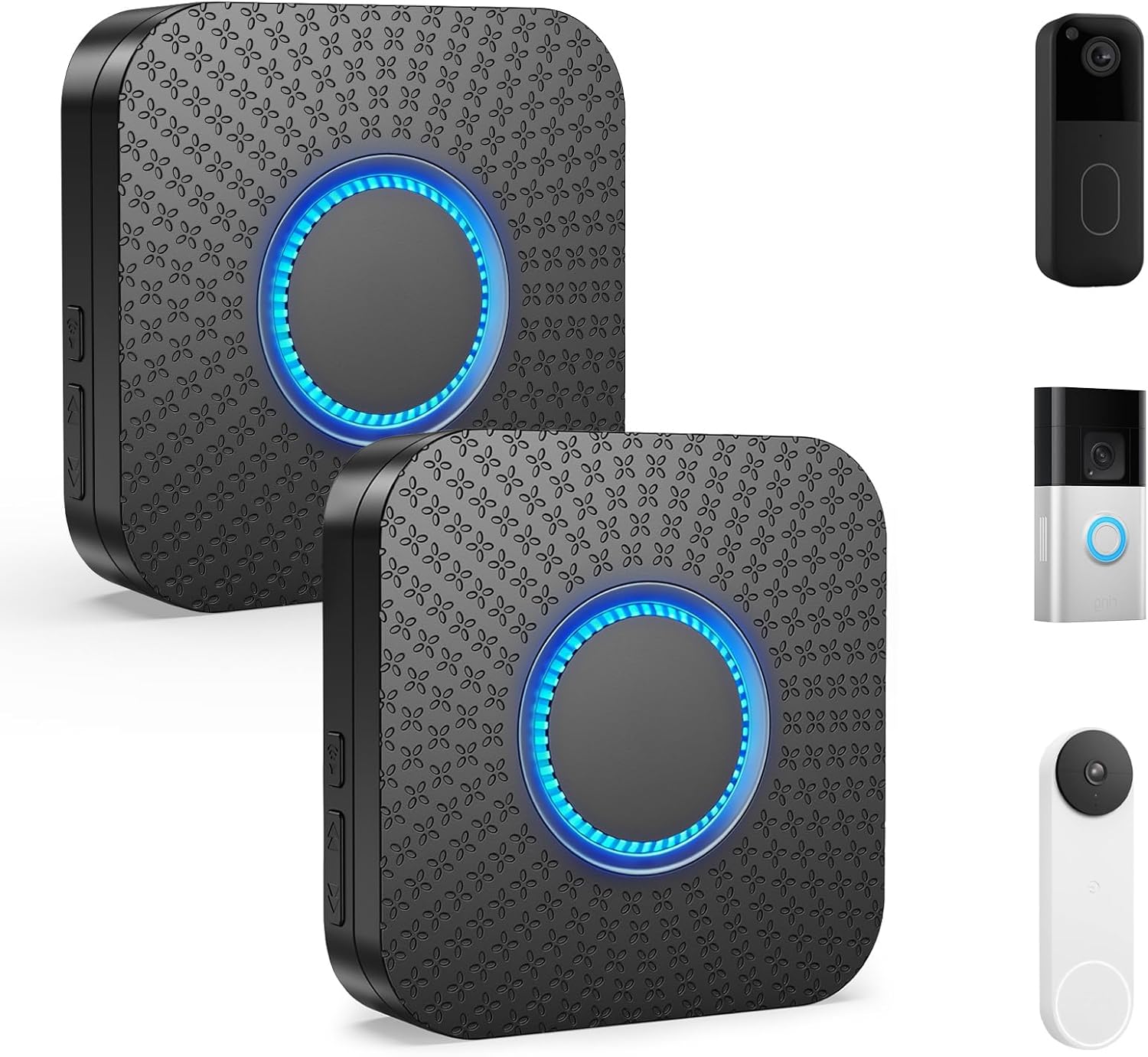
Pros
- Plugs into standard outlets for flexible room placement
- Pairs with Ring, Nest, and Blink doorbells directly
- Includes volume levels and flash options for clear alerts
- Allows up to 99 receivers for bigger properties
Cons
- Requires SmartLife app for initial pairing process
- Maximum range may drop in homes with thick walls
- Only three alert modes to choose from
This chime extends alerts from compatible video doorbells to multiple locations around the property with simple plug-in receivers.
It supports monitoring front door deliveries or side entrances while you work in other areas of the home. Additional receivers cover upper floors or basements for families with kids or pets.
The main trade-off here is the need for app-based setup before use in daily routines. Worth noting before buying: thick walls can reduce the effective reach between units.
This product suits homeowners seeking basic alert coverage in multi-room houses without new wiring.
Place receivers in central spots on each floor to reach all living areas in a two-story home. This setup catches alerts during package checks at the porch or while watching kids in the yard.
- Start with one unit near the main living space for daily use.
- Add more in bedrooms or the basement for full property reach.
- Test spots near windows in wood-frame houses to improve signal travel.
- Avoid clustering all units on the same level in larger layouts.
Buying Guide for Best Chimes For Blink Doorbell
A chime for your Blink doorbell has one job: to make sure you hear the alert. The right choice depends on your home’s layout, who needs to hear it, and how you want the system to grow. These are the practical factors that determine whether a chime becomes a helpful tool or just another plug-in device.
Compatibility and connection method
Not all chimes work the same way with your existing Blink doorbell. Some plug directly into an outlet and connect over your home Wi-Fi using the Blink app, while others require a small wired transmitter module that connects physically to your doorbell’s terminals.
The Wi-Fi models are simpler for most setups, especially if your doorbell is already installed and you do not want to open its housing again. The wired transmitter models can be more reliable in areas with spotty Wi-Fi, but they add a step to the installation process. Knowing which type your Blink doorbell supports is the first check.
Alert clarity and volume control
A chime that is too quiet for a noisy kitchen or too piercing for a nursery is not useful. Effective volume control lets you set the alert level for the room where the chime sits, and the ability to choose different tones helps distinguish the doorbell from other household sounds.
Look for models that offer visual alerts alongside sound, like a flashing LED. This is critical for anyone with hearing limitations or for times when the television or a appliance is running. A chime that provides multiple alert modes ensures someone always knows the doorbell has been pressed, which is the whole point of adding one to your doorbell camera system.
Reliable range and whole-home coverage
The chime needs to work reliably from wherever your Blink doorbell is mounted to the outlet where you plug it in. For a detached garage, a basement workshop, or a backyard office, the effective wireless range matters more than the maximum theoretical distance listed on the box.
Most systems let you add multiple chime receivers to a single doorbell. This is useful for large homes or for placing alerts in specific zones, like a bedroom and a living room. A system that supports expandability means you can start with one chime and add more later without replacing the core hardware.
Ease of setup and daily use
If setting up the chime requires an electrician or complicated app configurations, it is likely to sit in a drawer. The best options work with a straightforward plug-in and a simple pairing process, often guided directly within the Blink app you already use.
Once installed, the chime should work without constant attention. It should draw minimal power, reconnect automatically after a brief Wi-Fi outage, and provide a clear low-battery warning if it uses disposable cells. A chime that creates more maintenance than convenience misses its purpose.
Focus on the rooms where you most often miss alerts and the type of signal that works for everyone in your home. The right chime becomes a background utility you stop noticing until you need it.
Why You Should Trust Us
Our recommendations are based on deep market research and analysis of manufacturer specifications, not hands-on testing. We evaluate products by cross-referencing technical data, compatibility certifications, and aggregated performance metrics to build our SHU Score rating system. This approach allows us to assess reliability, integration, and real-home performance from a research perspective, focusing on how these chimes function within a complete smart security setup.
Final Thoughts
Choosing a chime comes down to reliable alerts that fit your home’s layout and your household’s habits. The goal is to bridge the gap between your outdoor doorbell and your indoor awareness without adding complexity.
For most Blink owners, the Blink Chime is the straightforward Editor’s Pick. It is designed and supported by the same ecosystem, ensuring seamless app integration and updates that keep it working with your doorbell over time. Its plug-in design removes guesswork from setup.
The proven Best Seller is the BITIWEND Wireless Doorbell Chime for Blink. It offers extensive tone options and strong range at a lower cost, making it a practical choice for users who want maximum alert customization and the ability to place a chime in far corners of the property. For homes considering other video doorbell brands in the future, a universal Wi-Fi chime provides flexibility.
The right chime turns your video doorbell from a passive recorder into an active notification system, so you never miss the person at the door.
FAQs
Can you use any wireless chime with a Blink doorbell?
No, you need a chime specifically designed to work with the Blink system. Blink doorbells use a proprietary wireless protocol or Wi-Fi for communication, so generic doorbell chimes will not pair correctly. Compatible models either connect via the Blink app over Wi-Fi or use a dedicated wired transmitter that interfaces with the doorbell’s terminals.
Do you need a chime if your Blink doorbell sends phone notifications?
A chime is necessary if you want a reliable, immediate audible alert inside your home that does not depend on your phone’s location or volume settings. Phone notifications can be missed if the device is silenced, in another room, or has a delayed app update. A dedicated chime ensures someone always hears the doorbell, which is crucial for deliveries or visitors when you are not holding your phone.
How do you add multiple chimes to one Blink doorbell?
Most compatible chime systems allow you to pair additional receivers to a single Blink doorbell. For Wi-Fi models, you typically add each new chime through the Blink app, similar to setting up the first one. For systems using a wired transmitter, you pair each new receiver to that same transmitter. This lets you place chimes in different rooms, like a bedroom and a basement, so alerts are heard throughout the home.
What is the difference between Wi-Fi and transmitter-based chimes?
Wi-Fi chimes plug into an outlet and connect directly to your home network through the Blink app, requiring no physical modification to your doorbell. Transmitter-based models involve connecting a small wired module to your Blink doorbell’s terminals, which then sends a signal to wireless receivers. Wi-Fi chimes are easier to install initially, while transmitter-based models may offer more consistent performance in areas with poor Wi-Fi coverage, similar to considerations for other Wi-Fi dependent security devices.
Do Blink-compatible chimes work with motion alerts?
This depends on the specific chime model and how it integrates with the Blink system. The official Blink Chime can be set to sound for both doorbell presses and motion detection alerts through the Blink app. Some third-party chimes may only trigger for doorbell button presses. Check the product specifications to confirm if the chime supports motion alerts, which is useful for monitoring package deliveries or activity near your door.




Write Your Review
No reviews yet. Be the first to share your experience!