

Fumbling for keys in the dark, wondering whether you remembered to lock up before leaving town, or trying to let in a contractor without handing over a physical key, these are the small frustrations that add up fast for anyone managing a front door.
Smart locks solve most of those problems in a practical way. We went through 5 best lockly smart locks options, looking at entry methods, connectivity, app reliability, and build quality to see which ones actually hold up for everyday use.
Our top pick for best lockly smart locks is the Lockly Visage Zeno Series with facial recognition and Apple Home Key support, so you get hands-free entry that works even when your phone is not nearby. Browse our full list below to see which one works best for your situation.
Our Top Picks

Pros
- Multiple entry options reduce reliance on physical keys that can be lost or copied.
- Remote unlock works without needing extra hubs for basic connectivity checks.
- Weatherproof exterior handles daily exposure on front or side doors.
- Rechargeable batteries cut down on frequent replacements compared to standard models.
Cons
- Facial recognition may require adjustments in direct sunlight or low light conditions.
- Rechargeable batteries need periodic charging rather than simple swaps.
- Extension kit purchase is required for doors thicker than standard sizes.
The Lockly Visage Zeno provides reliable entry control for the front door where packages often arrive and family members come and go throughout the day. Facial recognition detects approaching users and unlocks quickly so homeowners avoid fumbling with keys while carrying items.
App notifications keep track of activity at main entrances and backyard gates without needing extra equipment. This setup supports monitoring deliveries and confirming when children return home from school.
Guest access options let owners create temporary codes for visitors or contractors without granting full entry privileges. The system handles common household traffic while maintaining records of who used the door and when.
Voice control adds convenience for locking up from inside when managing pets or daily routines. Overall the lock addresses everyday needs for secure yet flexible access around the property.
This lock fits standard doors between 1 3/8 and 3 1/8 inches thick with right or left swing configurations. Most homeowners complete the swap using basic tools in under 20 minutes.
Check door thickness first since thicker doors need an optional extension kit for proper fit. The process replaces the existing deadbolt without major modifications to the door frame.
- Measure door thickness and confirm swing direction before starting.
- Align the new assembly with existing holes for a direct replacement.
- Test the bolt movement after installation to ensure smooth operation.
The app delivers alerts for every lock and unlock event so owners stay informed about activity at entry points. Remote commands work over standard home internet without additional bridges.
Users set up one-time or recurring codes for guests through the same interface. Schedules can automate access during set hours for regular visitors like cleaners.
- Receive notifications on phone for front door activity during work hours.
- Manage multiple entry codes for family members and service providers.
- Enable voice assistant integration for hands-free commands from inside the home.

Pros
- Facial recognition unlocks quickly without needing to handle keys or phones
- Built-in Wi-Fi allows control from anywhere without extra hubs
- Rechargeable batteries reduce frequent replacements over months of use
- Multiple unlock options cover situations like lost keys or full hands
Cons
- Facial recognition needs a clear view and may struggle in poor lighting
- Requires periodic battery recharges instead of simple swaps
- Initial setup involves app configuration that takes some time
The Lockly Visage Zeno provides facial recognition to unlock the front door as you approach with arms full of groceries or after a long day. This setup helps track comings and goings through instant app alerts for added awareness around the property.
Homeowners can share entry codes for deliveries or family visits without physical keys changing hands. The system supports voice commands through common assistants so doors can be secured from the car or while busy inside.
Activity monitoring covers everyday scenarios like checking when kids return from school or confirming service visits at the back gate. It fits most standard door thicknesses for straightforward use on main entries or side doors.
Rechargeable power keeps the lock running for months under normal conditions while supporting remote access directly through built-in connectivity.
This lock installs on most standard US doors between 1 3/8 and 3 1/8 inches thick using basic tools in about 15 minutes. It supports both right and left swing doors for front or rear entry points.
Check door thickness first to see if an extension kit is needed for thicker models up to 4 3/4 inches. No extra hub is required since Wi-Fi is built in.
- Align the deadbolt properly during setup for smooth operation
- Test all unlock methods after installation to confirm function
The Lockly Home app handles remote lock and unlock commands along with activity notifications for daily monitoring. It works without additional bridges for consistent connection at home or away.
Guest access features let you create one-time or scheduled codes for visitors or workers. Voice integration with Siri, Alexa, and Google allows hands-free control in common situations.
- Receive alerts for every entry to stay informed
- Share or revoke codes quickly through the app
- Set welcome modes for trusted users to enter without delays
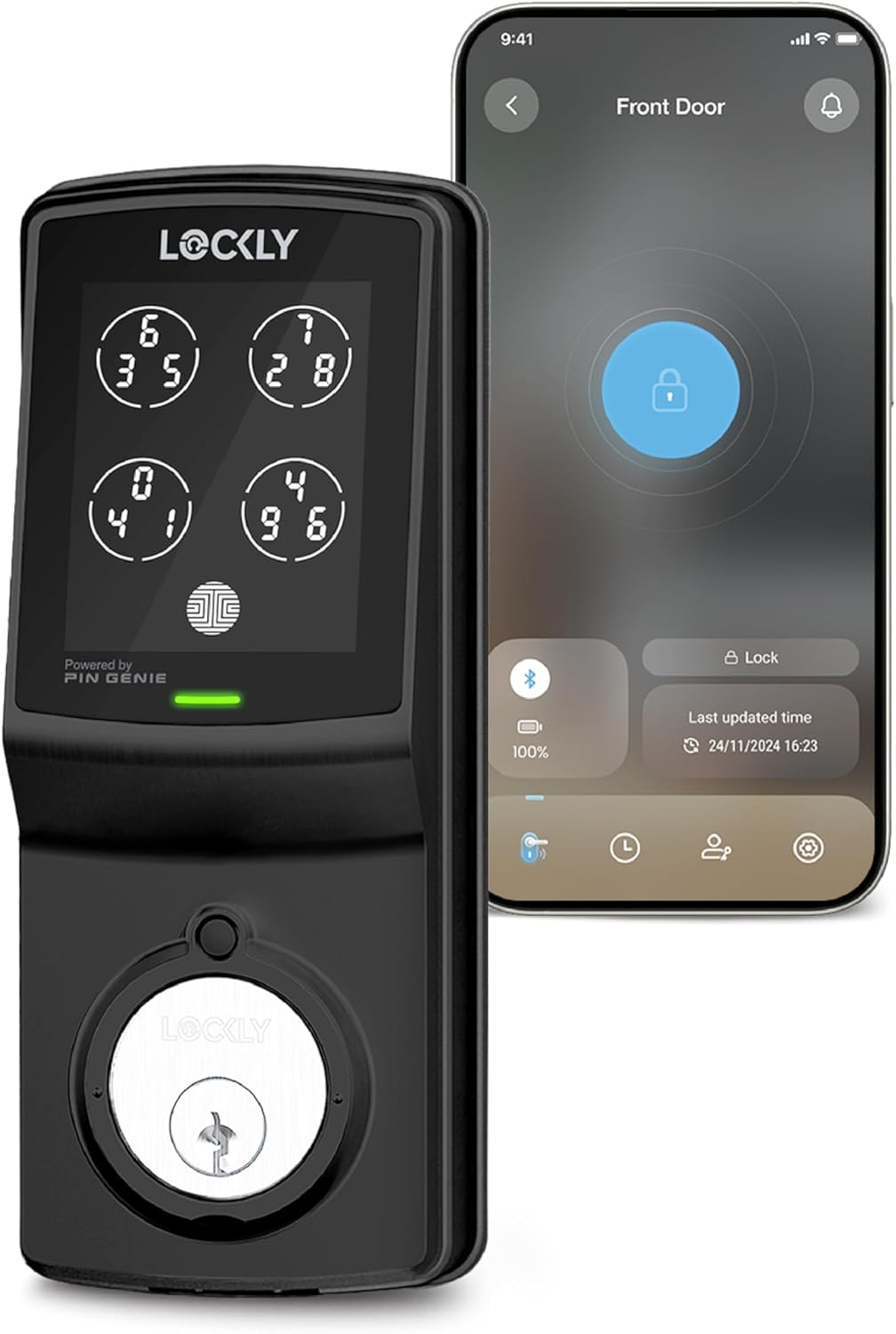
Pros
- Changing keypad stops shoulder surfing at the door.
- App shows lock status without needing Wi-Fi hub.
- Auto lock prevents leaving the door unsecured.
- Works with physical key as backup option.
Cons
- Voice control requires buying a separate hub.
- Does not fit storm doors or round latch holes.
- Install may need door modifications on older homes.
The Lockly 7S deadbolt gives homeowners a practical way to secure the front door with a keypad that changes after each use plus phone access. It sends alerts when the door opens or closes so you know what is happening without constant checks.
This setup helps with daily routines like confirming the door is locked after leaving or letting in a pet sitter through the app. The auto lock feature activates on its own to close any gaps in routine.
Worth noting before buying: full remote features need an extra hub purchase that adds cost and setup. The lock fits most standard doors but skips storm doors or unusual latch setups.
I find it works best for homeowners who want simple keyless entry on a typical front door without ongoing fees.
Measure your door thickness first since this lock fits doors from 1 3/8 to 2 inches thick on either swing direction. Standard wood or metal front doors usually work without extra parts.
- Replace an existing deadbolt on a wood-frame door by removing the old unit and following the included template for new holes.
- Apartment renters should check lease rules before drilling since some properties limit modifications to the door.
- New construction homes allow easier install during build but older homes may need chisel work if the latch hole does not match.
- Skip this model on storm doors or doors with round latch openings as it will not align properly.
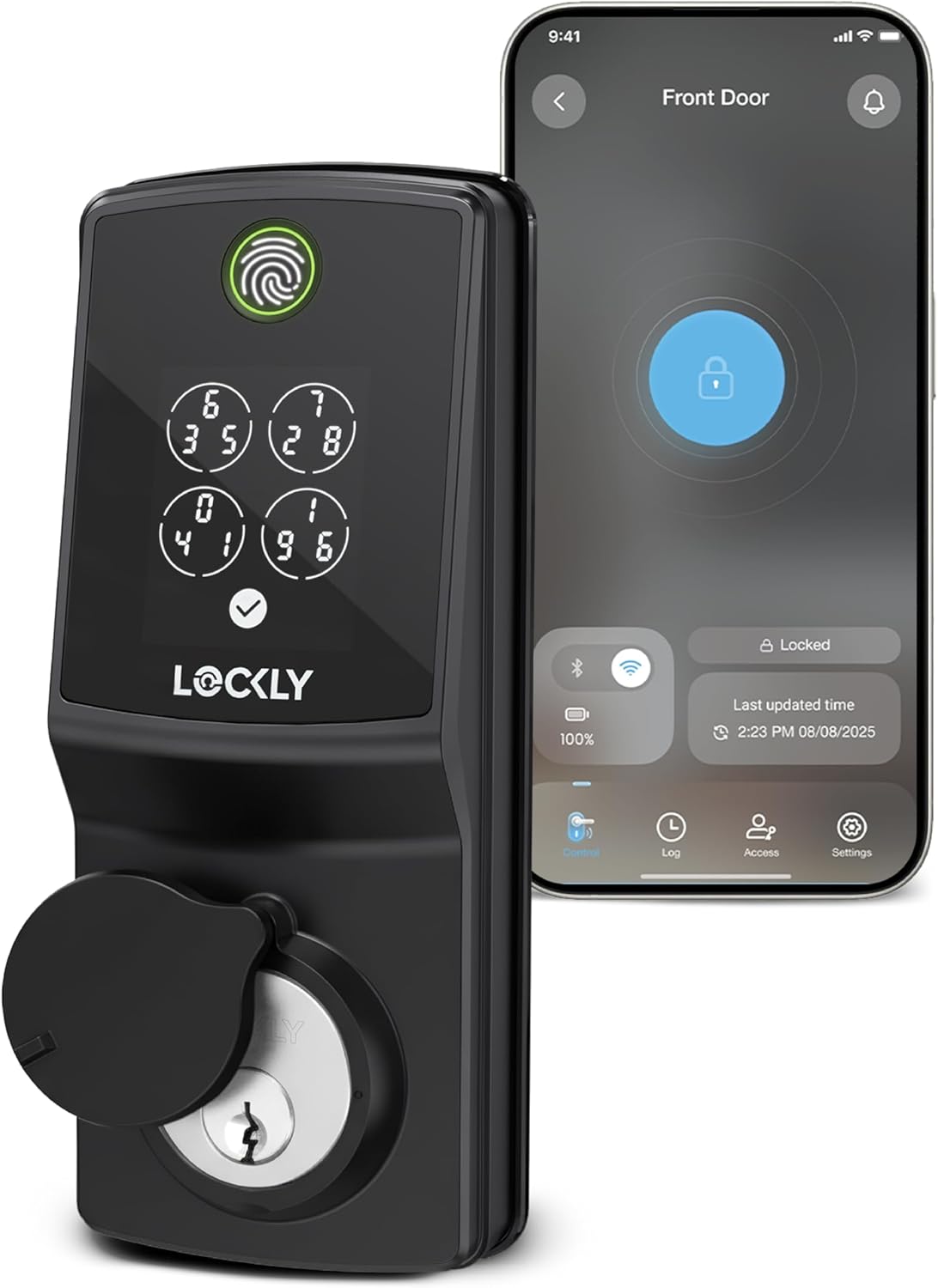
Pros
- Enables app-based remote locking from any location
- Provides instant alerts on door activity without extra hubs
- Supports quick fingerprint entry after initial setup
- Fits standard door thicknesses with basic tools
Cons
- Requires pre-purchase door compatibility checks
- Not suitable for storm doors or round latch holes
- Battery life varies with frequent remote use
This smart deadbolt delivers reliable remote access for standard front doors in everyday homes. It supports app notifications and multiple entry methods suited to daily routines like monitoring deliveries or family movements.
Real-time alerts help track who enters during the day while away at work. The keypad and fingerprint options reduce the need for physical keys in homes with kids or frequent visitors.
Worth noting before buying is the strict door thickness and swing requirements that exclude some installations like storm doors. Replacement on compatible wood-frame doors works best.
It suits homeowners seeking straightforward app control on standard entries without added hubs.
Confirm door thickness between 1 3/8 and 2 inches before starting. Measure swing direction on the existing deadbolt for proper fit on wood-frame homes.
- Replace an old deadbolt in about 30 minutes using basic screwdrivers on standard doors.
- New installs require drilling a clean hole for the latch in apartment or rental settings.
- Avoid round latch holes common in older properties to prevent misalignment.
- Wi-Fi connection works directly after mounting without additional hardware in most single-family homes.

Pros
- Fingerprint access speeds entry without keys or codes.
- Built-in hub enables app control without extra purchases.
- Grade 1 build adds strength to standard entry doors.
- Offline codes maintain access during connectivity issues.
Cons
- Requires checking door thickness before fitting.
- Hub needs an indoor power outlet near the router.
- No night visibility on keypad buttons.
This deadbolt offers multiple entry methods that fit daily routines at the front door. Fingerprint reading and shuffling codes handle access for family members or visitors without extra steps.
It supports remote checks on who enters during package deliveries or when monitoring kids. The included hub connects easily for app alerts in typical wood-frame homes.
The main trade-off here is the need for doors between 1 3/8 and 2 inches thick, so measure first on older properties. ANSI Grade 1 construction helps with physical security but skips storm door use.
I recommend it for homeowners replacing a standard deadbolt who want reliable keyless options without subscriptions.
Measure your door thickness and swing direction first. This lock fits left or right swings on prepared doors from 1 3/8 to 2 inches thick in most single-family homes.
- Check for standard deadbolt holes before starting a replacement install.
- Use the extension kit for thicker doors common in newer builds.
- Place the WiFi hub indoors near an outlet and router for reliable signals.
- Expect 15 to 30 minutes for DIY setup on pre-drilled doors.
- Avoid storm doors or round latch setups that need modifications.
- Rekey the cylinder yourself if changing locks on rental properties.
Buying Guide for Lockly Smart Locks
Lockly builds most of its lineup around a few signature features: the PIN Genie rotating keypad, fingerprint readers, and increasingly, facial recognition. Knowing which combination of those features fits your door and your routine makes the decision a lot cleaner. Here are the key things to look at before you buy.
Entry Method Variety
Most buyers focus on the flashiest entry method and overlook how often they will actually use it. Facial recognition is convenient, but fingerprint or keypad backup matters when lighting is poor or the sensor needs a reset.
Look for a lock that supports at least three entry methods: biometric, keypad, and physical key. The Lockly Secure Pro and Visage Zeno both cover this. For households with multiple people, confirm how many fingerprints and access codes the lock stores before committing.
Built-in Wi-Fi vs. Hub Required
A common mistake is buying a Bluetooth-only lock expecting remote access, then realizing you need a separate hub to control it from outside your home. That adds cost and another device to manage.
If remote locking, access logs, or guest codes from your phone matter to you, choose a model with built-in Wi-Fi. The Lockly Secure Pro with built-in Wi-Fi and the Visage Zeno Series both skip the hub entirely. The Model 7S is Bluetooth-only, which is fine for keyless convenience at home but limits remote control. You can find a broader look at connectivity options in our guide to smart locks for easy DIY installation.
Lock Grade and Physical Security
Smart features get the attention, but the deadbolt itself still needs to resist forced entry. A lot of buyers skip checking the ANSI/BHMA grade entirely, which is a real oversight on a front door.
For a front door, ANSI Grade 1 is the standard to look for. The Lockly Secure Pro carries that rating. Grade 2 is acceptable for interior or secondary doors but not ideal as your primary exterior lock. For context on how Lockly compares to other fingerprint-based options, our fingerprint smart locks guide covers several alternatives side by side.
Smart Home Compatibility
Buyers often assume any smart lock will work with their existing setup. Compatibility varies more than the marketing suggests, and finding out after installation is frustrating.
If you use Amazon Alexa or Google Home, the Lockly Secure Pro covers both. If you are in the Apple ecosystem, the Visage Zeno Series adds Apple Home Key support, which lets you unlock with an iPhone or Apple Watch tap. Confirm your platform before buying rather than assuming all locks support all systems.
Weather Resistance for Exterior Use
An exterior lock faces rain, humidity, and temperature swings year-round. Skipping the IP rating check is one of the more common oversights, especially in climates with hard winters or wet summers.
Look for at least an IP65 rating for any lock going on an exposed front door. The Lockly Secure Pro with built-in Wi-Fi carries IP65, meaning it handles dust and direct water spray without issue. Locks without a published IP rating are better suited for covered or interior applications. If you are also comparing deadbolt-style options more broadly, our smart deadbolt locks for front door guide covers additional picks worth considering. Once you know what to prioritize, the right option becomes a lot easier to spot.
Why You Should Trust Us
At Safe Home Upgrade, we are a research-based publisher. We do not handle or install the products we cover. What we do is go through manufacturer specifications, ANSI and BHMA certification data, verified buyer feedback, and published third-party reviews to build an honest picture of how each product performs in real-world conditions.
Every pick on this list is evaluated using our internal SHU Score, which weighs physical security ratings, feature set, connectivity, app quality, and value relative to competing options in the same category. The goal is a straightforward answer to a straightforward question: which of these is actually worth buying for a U.S. front door?
Final Thoughts
Picking the right best lockly smart locks comes down to what you actually need it to do. If remote access and smart home integration are priorities, a built-in Wi-Fi model is worth the extra investment. If you just want keyless entry without the complexity, a Bluetooth model with a solid keypad covers most daily use cases without adding a lot of setup overhead.
For most front doors, the Lockly Visage Zeno Series in Matte Black is the one we keep coming back to. It suits anyone who wants facial recognition, fingerprint backup, and Apple Home Key in a single deadbolt. The build quality is solid, the entry options cover nearly every scenario, and it does not require a separate hub to work remotely.
Frequently Asked Questions
Can you use a Lockly smart lock without a smartphone?
All Lockly models support keypad and fingerprint entry without a phone present. The physical backup keys also work if the battery dies or the electronics need a reset.
Do you need a hub for Lockly Wi-Fi models to work remotely?
Built-in Wi-Fi models like the Lockly Secure Pro connect directly to your home network without a separate hub. Bluetooth-only models like the Model 7S require a hub or a paired phone nearby for remote access.
How does the PIN Genie keypad reduce the risk of someone guessing your code?
PIN Genie randomizes the position of digits on the keypad each time it activates, so worn keys or smudge patterns cannot reveal your code. Someone watching over your shoulder also cannot reliably memorize the sequence.
Is facial recognition on a smart lock reliable in low light?
Facial recognition performance on the Visage Zeno is rated at 0.2 seconds under normal conditions, but low light and direct glare can affect accuracy. Fingerprint or keypad entry serves as a reliable fallback in those situations. For a broader comparison of biometric options, our fingerprint smart locks guide covers how different sensors perform across lighting conditions.
Is it better to choose a Grade 1 deadbolt over a Grade 2 for a front door?
Grade 1 is the stronger standard and the right choice for any exterior front door facing direct exposure. Grade 2 is acceptable for secondary or interior doors where forced-entry risk is lower.
Write Your Review
No reviews yet. Be the first to share your experience!